
Welcome to our tutorial and documentation section for PDD Beta. Use the search box below to find answers.
-
Food Wizard Tutorials
0 out of 5 stars
| 5 Stars | 0% | |
| 4 Stars | 0% | |
| 3 Stars | 0% | |
| 2 Stars | 0% | |
| 1 Stars | 0% |
Seaweed Meal Supplement
This tutorial shows how to add a supplement, handle missing and/or incomplete data, and enter common measures. We chose the supplement Vitagran Seaweed Meal for this tutorial because it’s relatively difficult to enter the correct values and uses non-standard common measures.
The image below shows an excerpt from the typical analysis for Vitagran Seaweed Meal published by Multicrop (Aust.) Pty. Ltd.
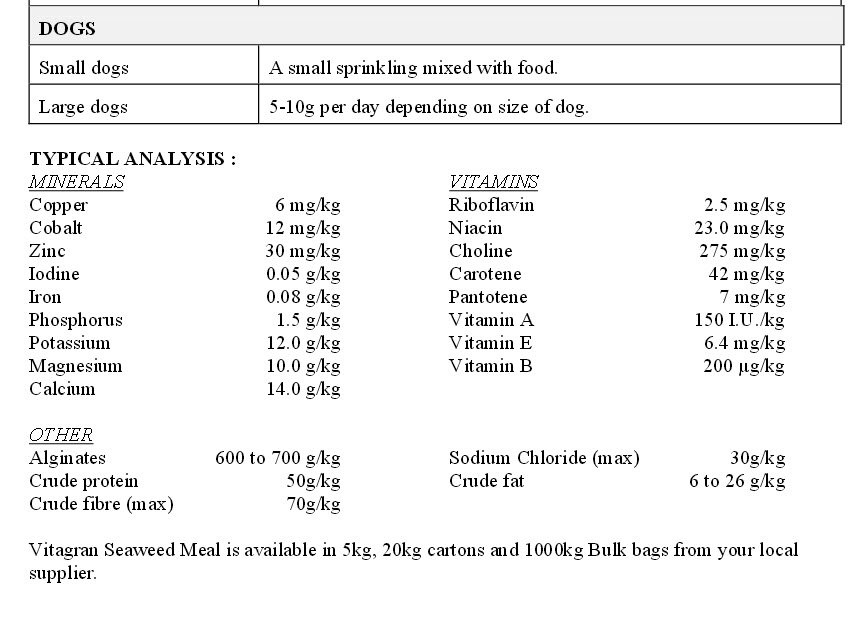
Vitagran Seaweed Meal Typical Analysis
In the typical analysis above, we will ignore Cobalt, Alginates, Carotene, and Pantotene. Unfortunately, we also have to ignore the value for Vitamin B, as we don’t know what it is supposed to be. Is it B1, B2, etc? Typically, we would contact the manufacturer and ask for clarification on which Vitamin B they are referring to. We can always do this later. Since we have Crude Protein and Crude Fat, we can approximate the kilocalorie value. We contacted the manufacturer, but they did not have a value. Also missing are Moisture and Ash. With the values shown (Crude Protein, Fat, and Fiber), plus Moisture and Ash, we can calculate the Carbohydrate value (by difference). We will just have to work with the analysis we are given.
We have a sodium chloride value. From this value, we can calculate the sodium and the chloride values. Crude Fat is expressed as a range. When we see a range, we will typically enter the average amount as the value.
Food Wizard Tutorial
Below are screenshots showing the values we enter into Food Wizard. Open Food Wizard and enter the values as shown.
Step 1 - Add Common Measure
The image below shows the first tab in the Food Wizard. The typical analysis shows values per kilogram. So we will use kilograms as our common measure. Usually, common measures refer to units like teaspoons, tablespoons, cups, liquid measures, etc. The common measures are usually less than 100 grams. In this case, Vitagran Seaweed Meal is sold in containers of 5 kilograms and higher. So we’ll use what we can. The critical value here is the measured weight. This has to be 1 kilogram. The amount and the measure values are just for identification.
Enter the following values:
- 1 kilogram = 1 kilogram
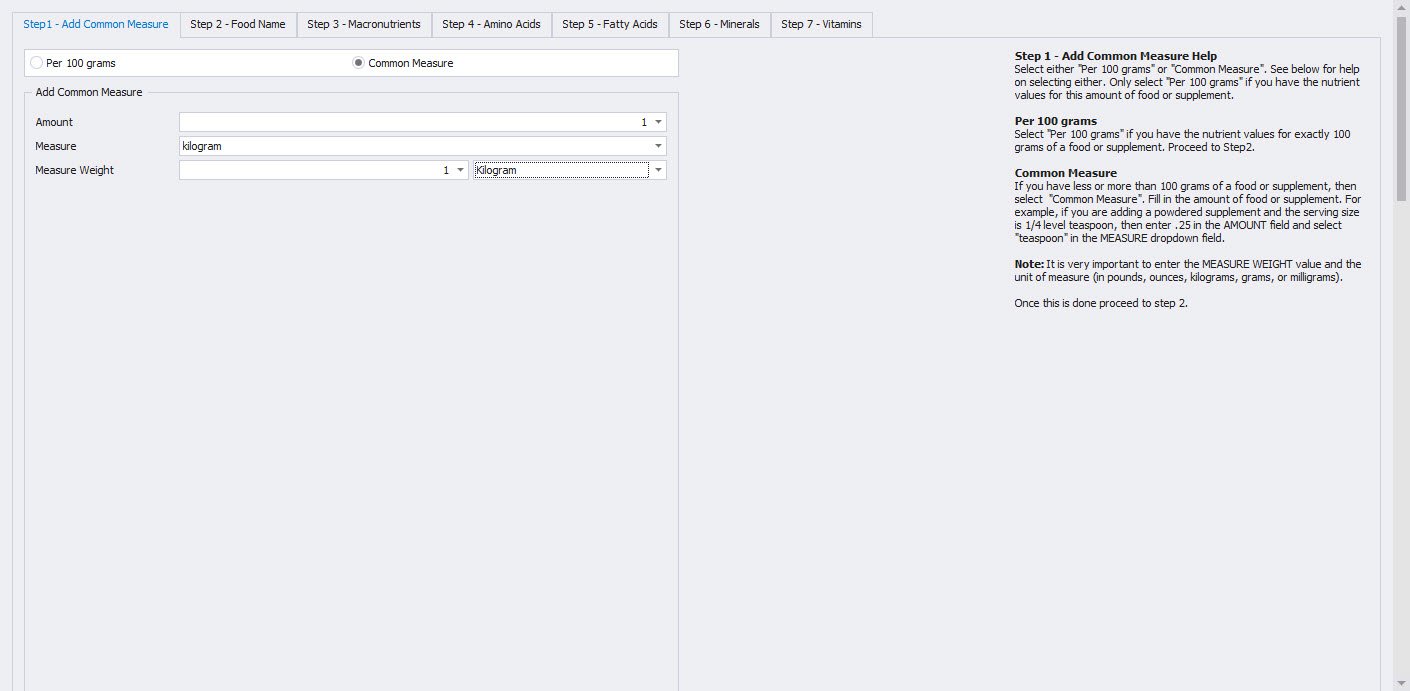
Step 1 – Add Common Measure
Step 2 - Food Name
The image below shows the second tab in the Food Wizard. The only required value that you have to enter in this tab is the name of the food or supplement. We also enter the manufacturer’s name (if we know it), as it may help distinguish similar products from different manufacturers.
Enter the following values:
- Food Name = Vitagran Seaweed Meal
- Manufacturer Name = Multicrop (Aust.) Pty. Ltd.
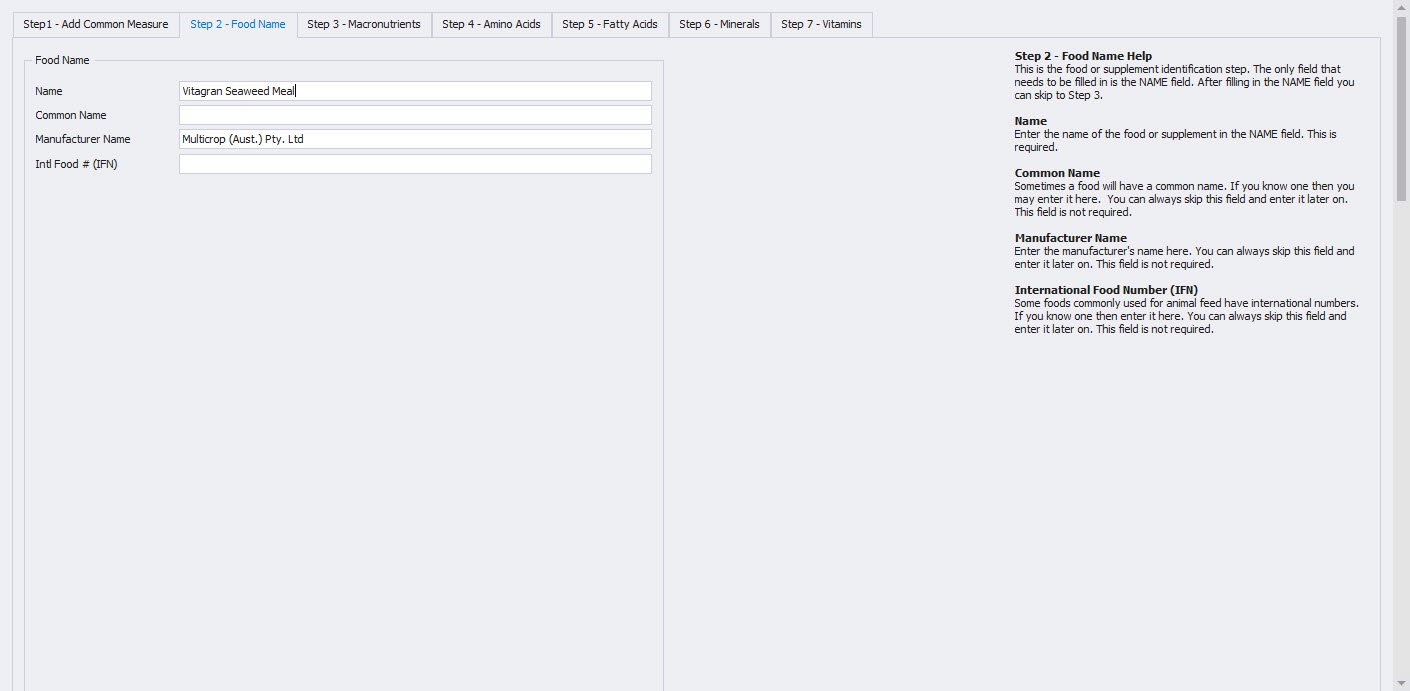
Step 2 – Food Name
Step 3 - Macronutrients
The image below shows the third tab in the Food Wizard. Here we enter the values for Crude Protein, Crude Fat, and Crude Fiber. The difficult value to enter here is the Food Energy value. Since Vitagran Seaweed Meal is an animal feed supplement, we will use modified Atwater factors for dogs and cats (3.5 kcal/g protein, 8.5 kcal/g fat, 3.5 kcal/g carbohydrate) to approximate the food energy value. Crude Fat is listed as a range, so we will take the average value and enter our new value. The average Crude Fat is (6 + 26)/2 equals 16 grams of crude fat per kilogram. Therefore, Food Energy is (3.5 * 50) + (8.5 * 16) equals 311 kilocalories. We enter 311 kilocalories for the food energy value.
Enter the following values:
- Food Energy = 311 kcal
- Protein = 50 g
- Total Fat = 16 g
- Fiber = 70 g
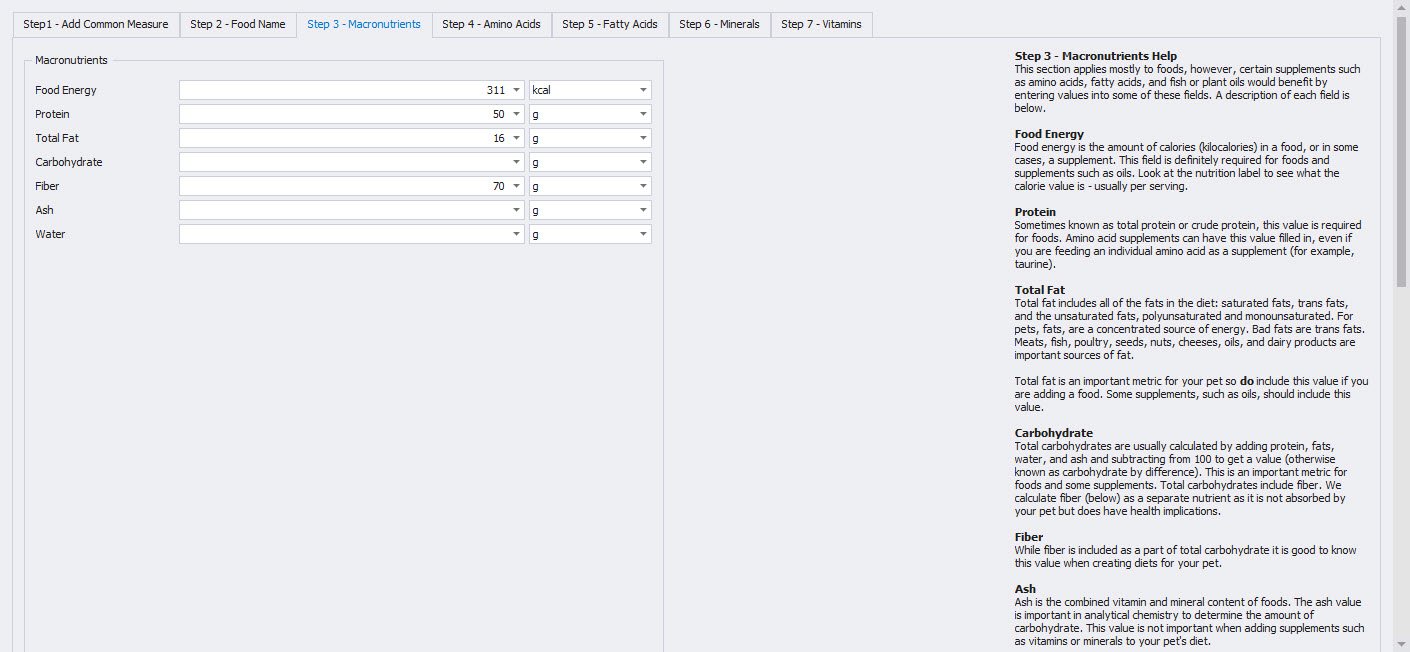
Step 3 – Macronutrients
Step 4 - Amino Acids
The image below shows the fourth tab in the Food Wizard. Since the typical analysis lists no amino acid values, we leave this tab blank.
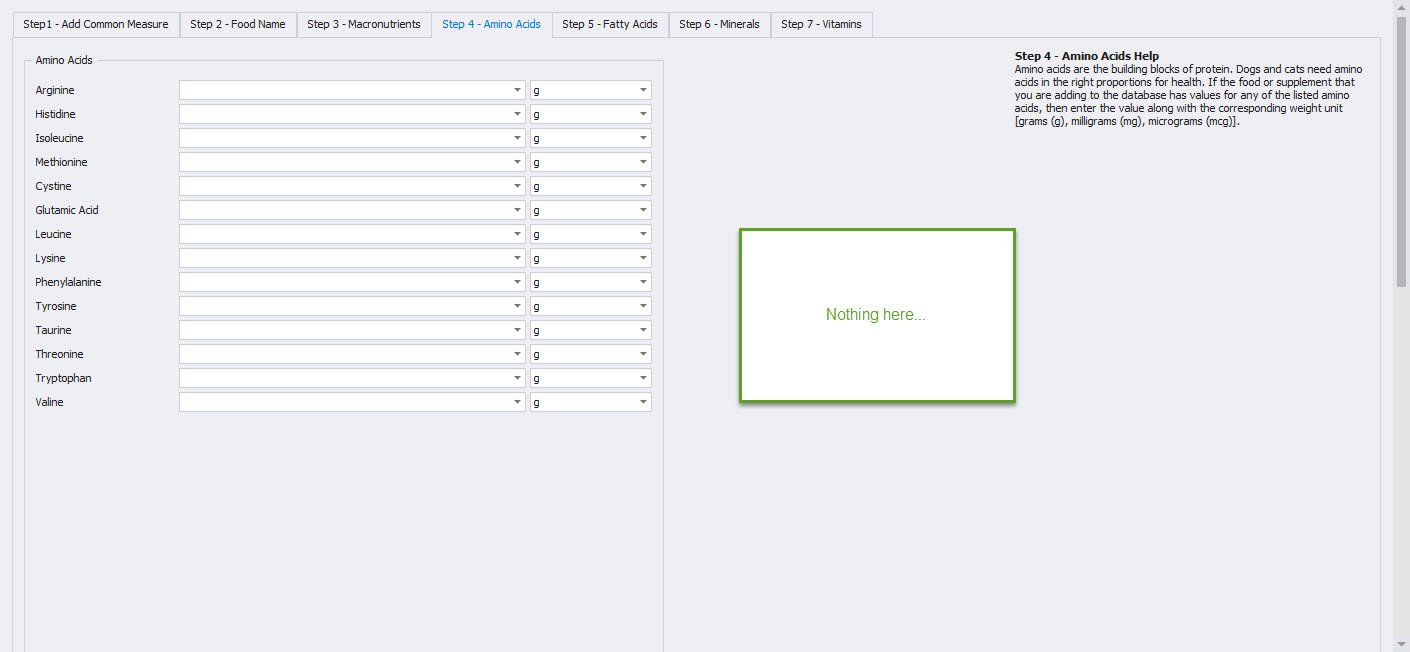
Step 4 – Amino Acids
Step 5 - Fatty Acids
The image below shows the fifth tab in the Food Wizard. Since the typical analysis lists no fatty acid values, we leave this tab blank.
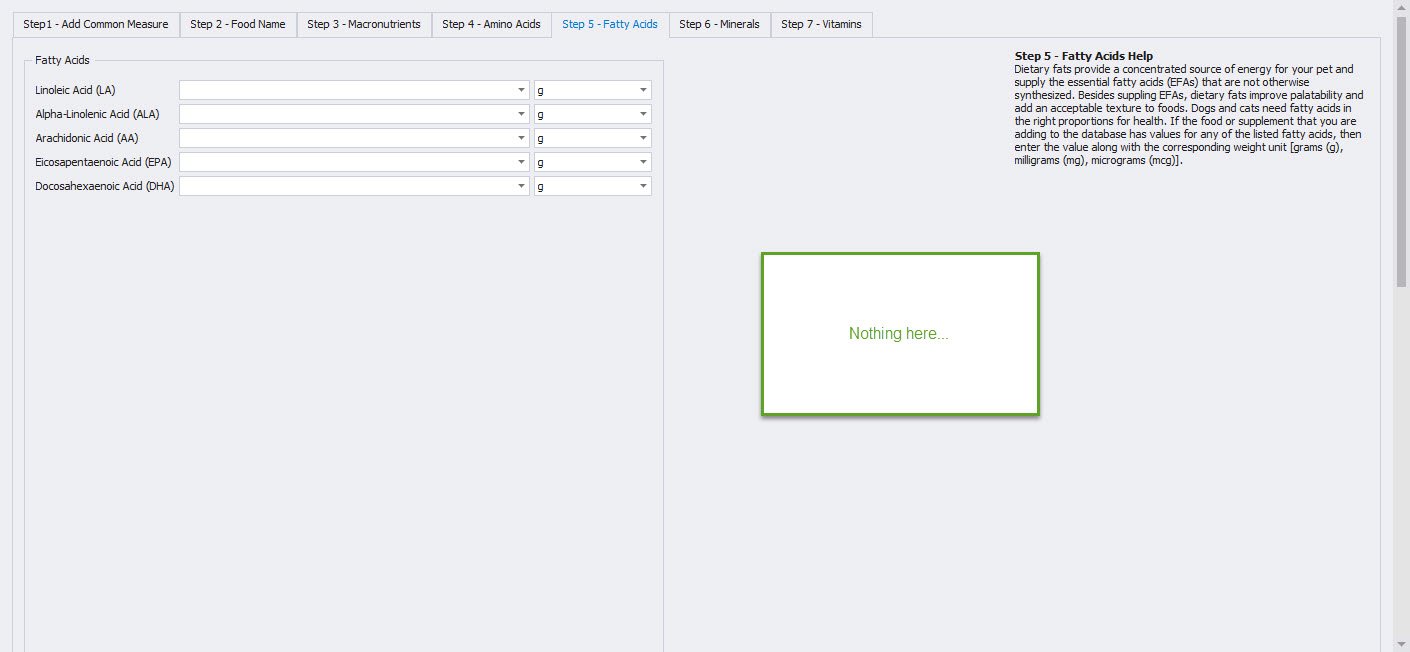
Step 5 – Fatty Acids
Step 6 - Minerals
The image below shows the sixth tab in the Food Wizard. You can enter all mineral values as-is (except cobalt, which we don’t track in PDD). Note that the typical analysis lists all minerals in grams except for copper and zinc, which are defined in milligrams. It is important to use the correct unit of measurement. We can calculate the sodium and chloride values from the sodium chloride value (30g/kg), which is listed in the “Other” section of the typical analysis. Sodium is 40% (by weight), and chloride is 60% (by weight) of sodium chloride. So we enter (0.40 * 30) = 12 grams for sodium and (0.60 * 30) = 18 grams for chloride.
Enter the following values:
- Calcium = 14 g
- Phosphorus = 1.5 g
- Magnesium = 10 g
- Potassium = 12 g
- Sodium = 12 g
- Chloride = 18 g
- Iron = 0.08 g
- Copper = 6 mg
- Zinc = 30 mg
- Iodine = 0.05 g
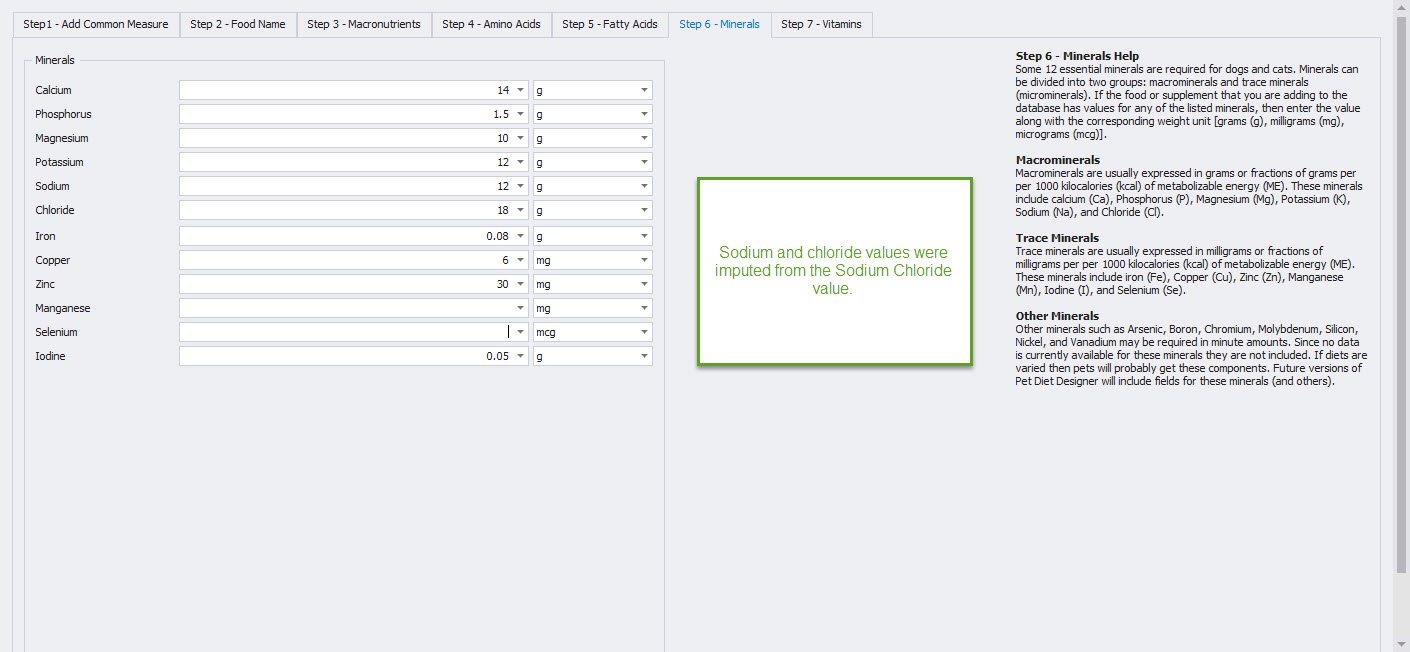
Step 6 – Minerals
Step 7 - Vitamins
The image below shows the seventh, and final, tab in the Food Wizard. You can enter all vitamin values as-is (except carotene and pantotene, which we don’t track in PDD). Also, we don’t enter the value listed for Vitamin B because we are not sure which Vitamin B the typical analysis refers to. The Vitamin A value is listed in International Units (IU). PDD accepts values for Vitamin A from either an animal (retinol) or a plant (beta-carotene) source. Since seaweed is a plant, enter the Vitamin A value as “IU as beta-carotene.”
Enter the following values:
- Vitamin A = 150 IU as beta-carotene
- Vitamin E = 6.4 mg
- Riboflavin (B2) = 2.5 mg
- Niacin (B3) = 23 mg
- Choline = 275 mg
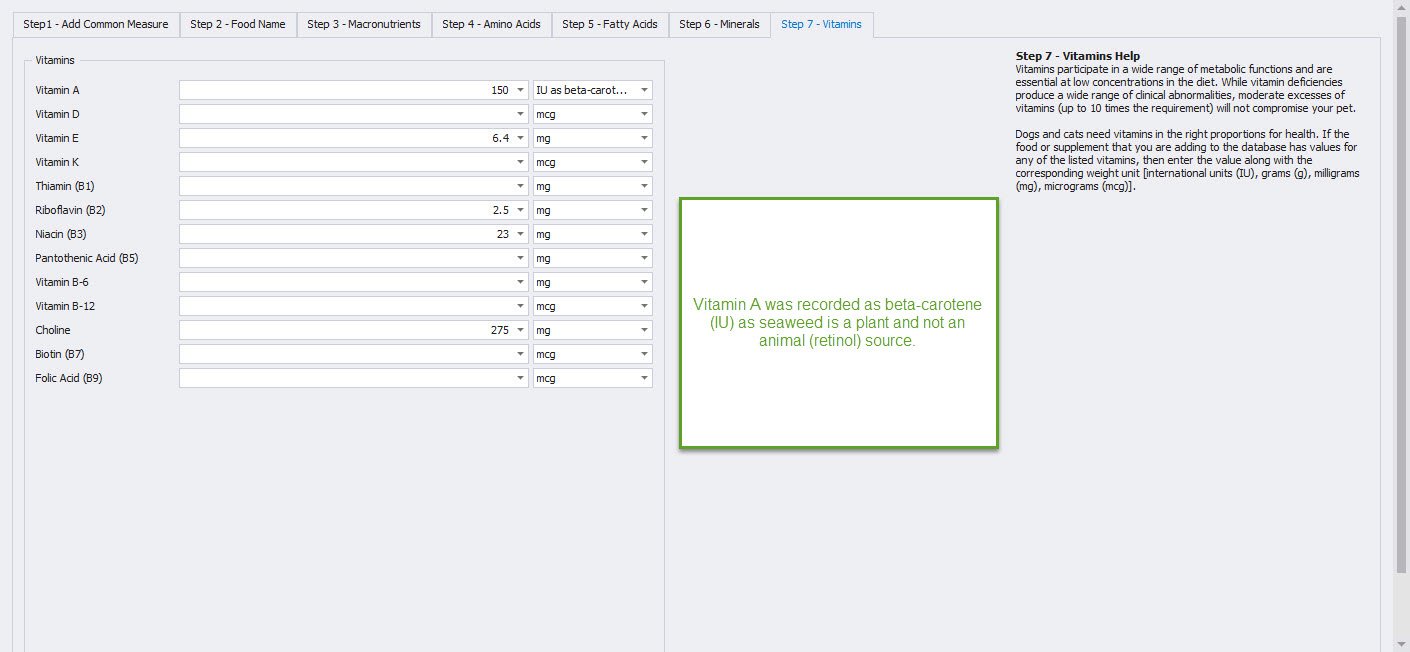
Step 7 – Vitamins
Conclusion
That’s it! We press the SAVE & CLOSE button on the ribbon, and the system converts and stores all values in the database as 100 grams of Vitagran Seaweed Meal. Next, we will view our new food/supplement in the Foods module. Click on the FOODS button on the ribbon to open up the Foods module.
Looking at our newly entered food
With the Foods module open, enter “Vitagran” in the search text box and click the FIND button. With the Vitagran Seaweed Meal entry highlighted, click on the EDIT button on the ribbon to see our newly entered values.
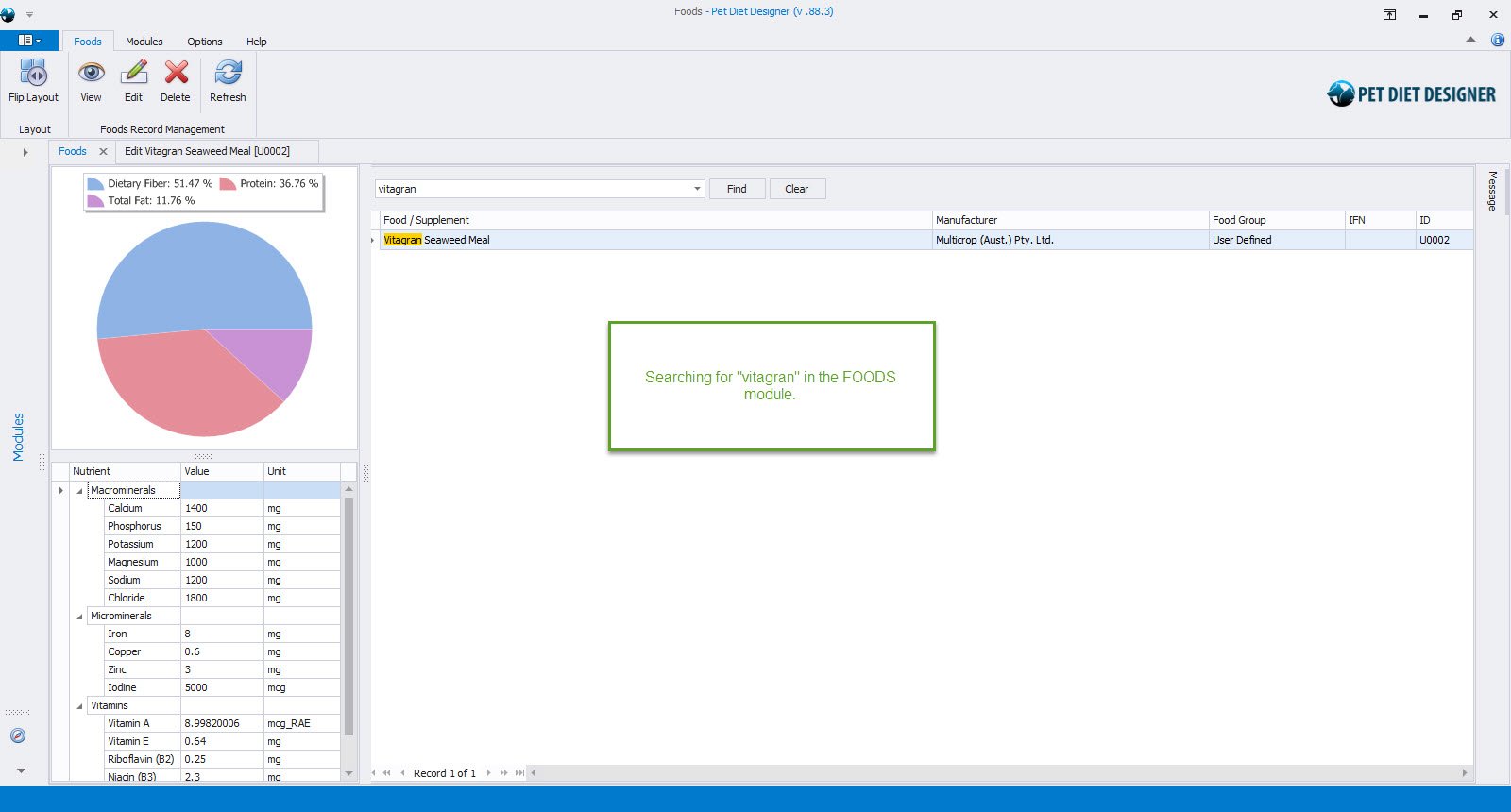
Searching for Vitagran in Foods module
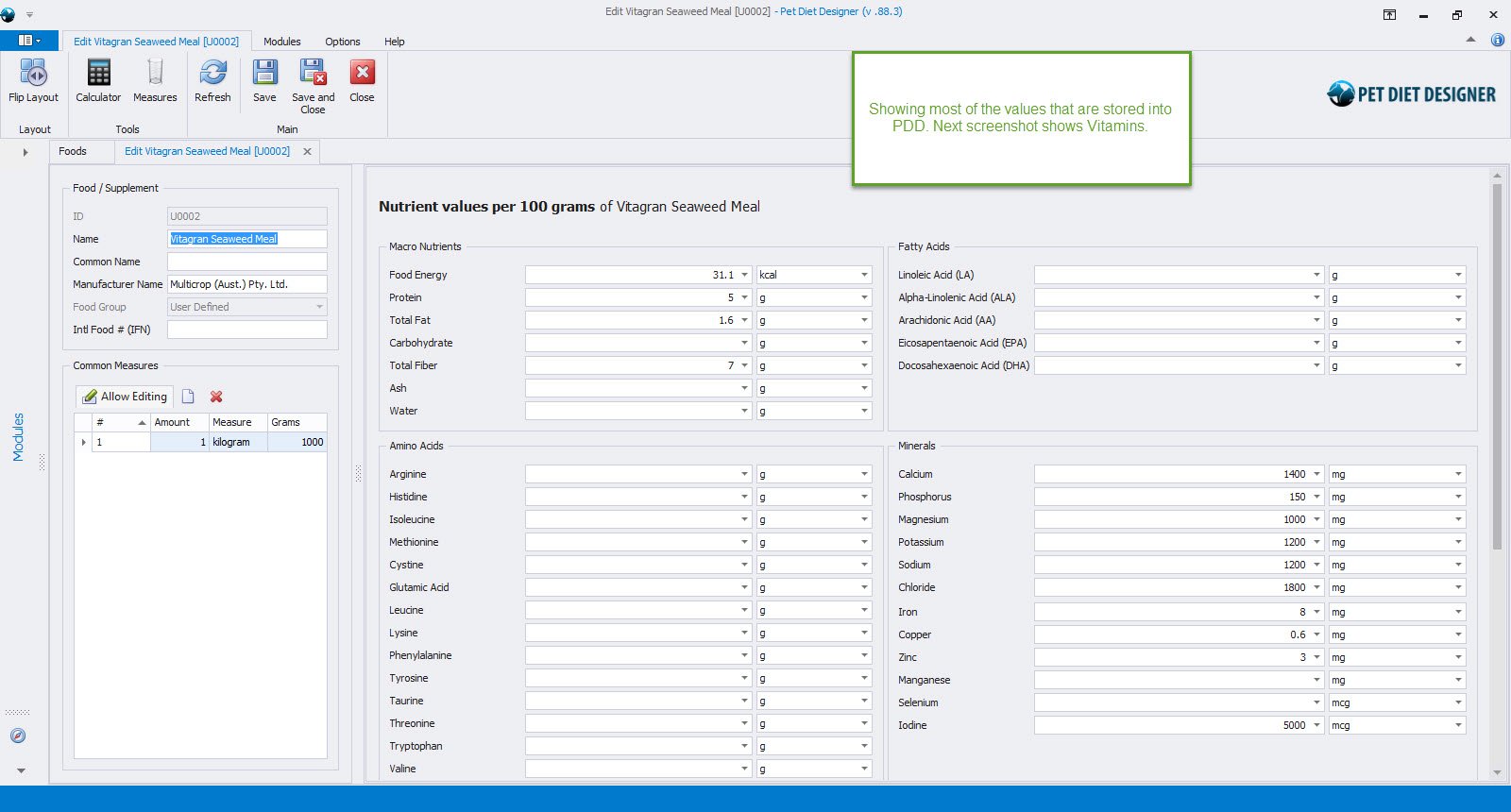
Showing top half of Nutrient Detail
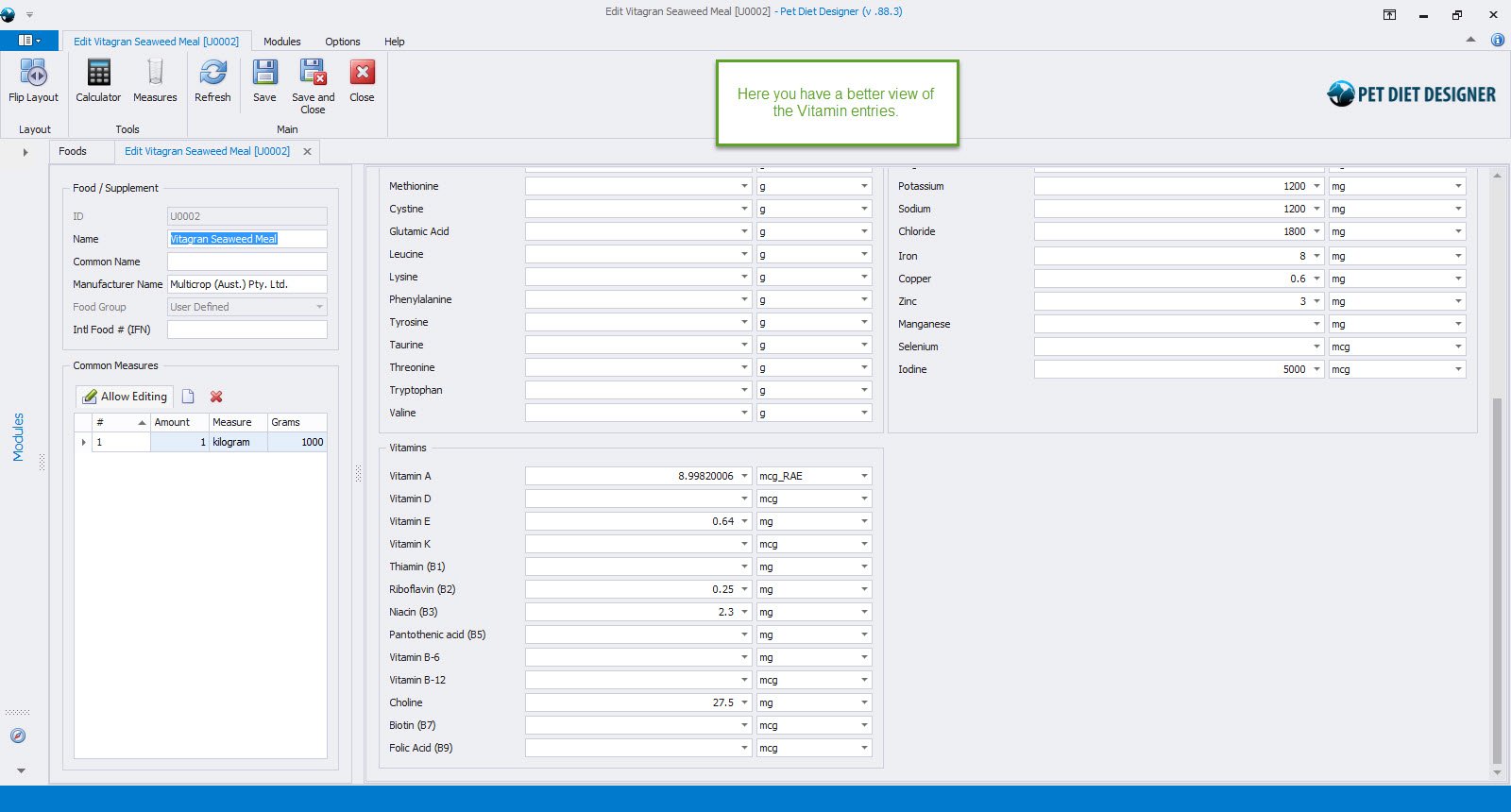
Showing bottom half of Nutrient Detail
About Multicrop (Aust.) Pty. Ltd.
Multicrop is a 100% Australian-owned company that provides eco-friendly solutions to gardening and agricultural problems.
Multicrop offers a range of innovative products to fertilize gardens and for use in commercial cropping. Multicrop also offers NASAA-certified products suitable for organic farming.
Multicrop’s other products and garden accessories support plant propagation, soil improvement, water conservation, and natural, safer pest control to create a healthy, productive environment.
0 out of 5 stars
| 5 Stars | 0% | |
| 4 Stars | 0% | |
| 3 Stars | 0% | |
| 2 Stars | 0% | |
| 1 Stars | 0% |