
Welcome to our tutorial and documentation section for PDD Beta. Use the search box below to find answers.
-
Food Wizard Tutorials
0 out of 5 stars
| 5 Stars | 0% | |
| 4 Stars | 0% | |
| 3 Stars | 0% | |
| 2 Stars | 0% | |
| 1 Stars | 0% |
Balance IT Carnivore Blend
Balance IT is a website that sells supplements that help you create complete, balanced homemade meals for your dog or cat using a limited amount of common foods. Balance IT is based on the commercial AAFCO standard. The supplement we will add to our database contains all minerals and vitamins dogs and cats need daily, including the amino acid taurine.
Below is a tutorial to add Balance IT Carnivore Blend to PDD Beta.
Food Wizard Tutorial
Below is a series of screenshots showing the values we enter into Food Wizard. Open Food Wizard and enter the values as shown.
Step 1 - Add Common Measure
The image below shows the first tab in the Food Wizard. We are entering the values for one teaspoon of the Balance IT Carnivore Blend. One teaspoon weighs 4.09 grams. So we will use this as our common measure.
Enter the following values:
- 1 teaspoon = 4.09 Gram
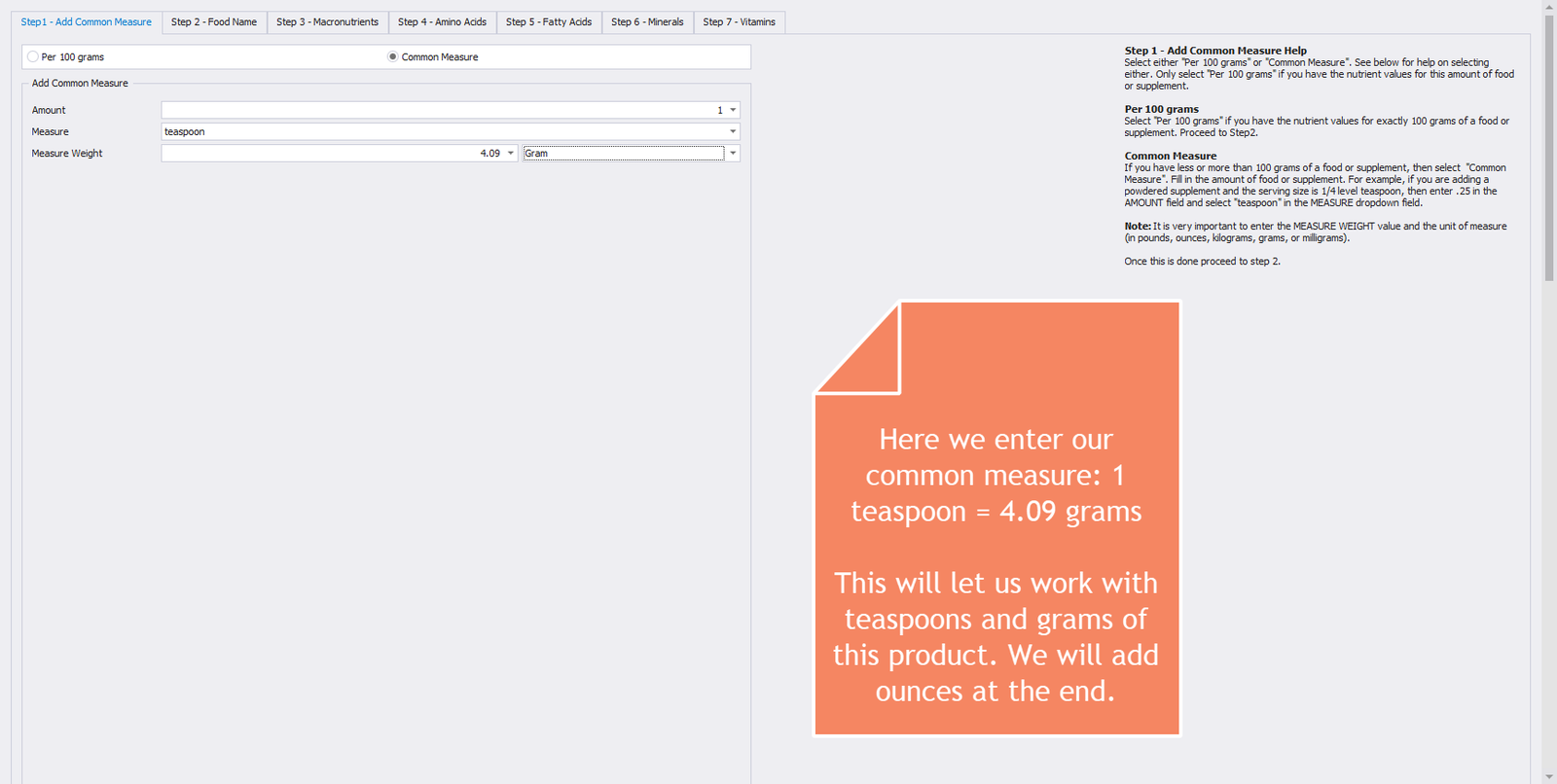
Step 1 – Add Common Measure
Step 2 - Food Name
The image below shows the second tab in the Food Wizard. The only required value that you have to enter in this tab is the name of the food or supplement.
Enter the following values:
- Food Name = Balance IT Carnivore Blend
- Manufacturer Name = Balance IT
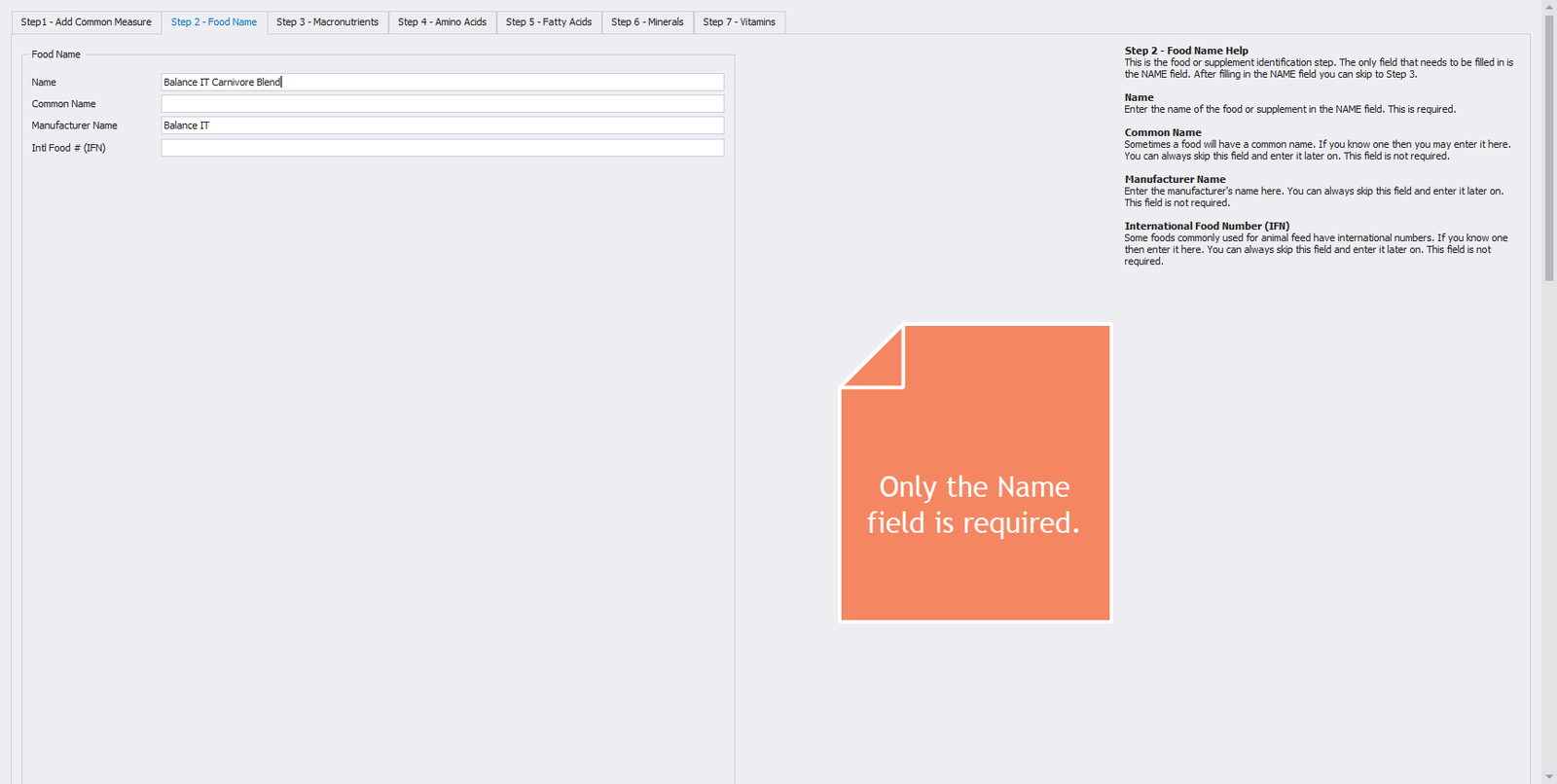
Step 2 – Food Name
Step 3 - Macronutrients
The image below shows the third tab in the Food Wizard. We enter only the values for Protein, Ash, and Water. Food Energy, Fat, Carbohydrate, and Fiber are zero.
Enter the following values:
- Food Energy = 0 kcal
- Protein = 0.188 g
- Ash = 3.710 g
- Water = 0.184 g
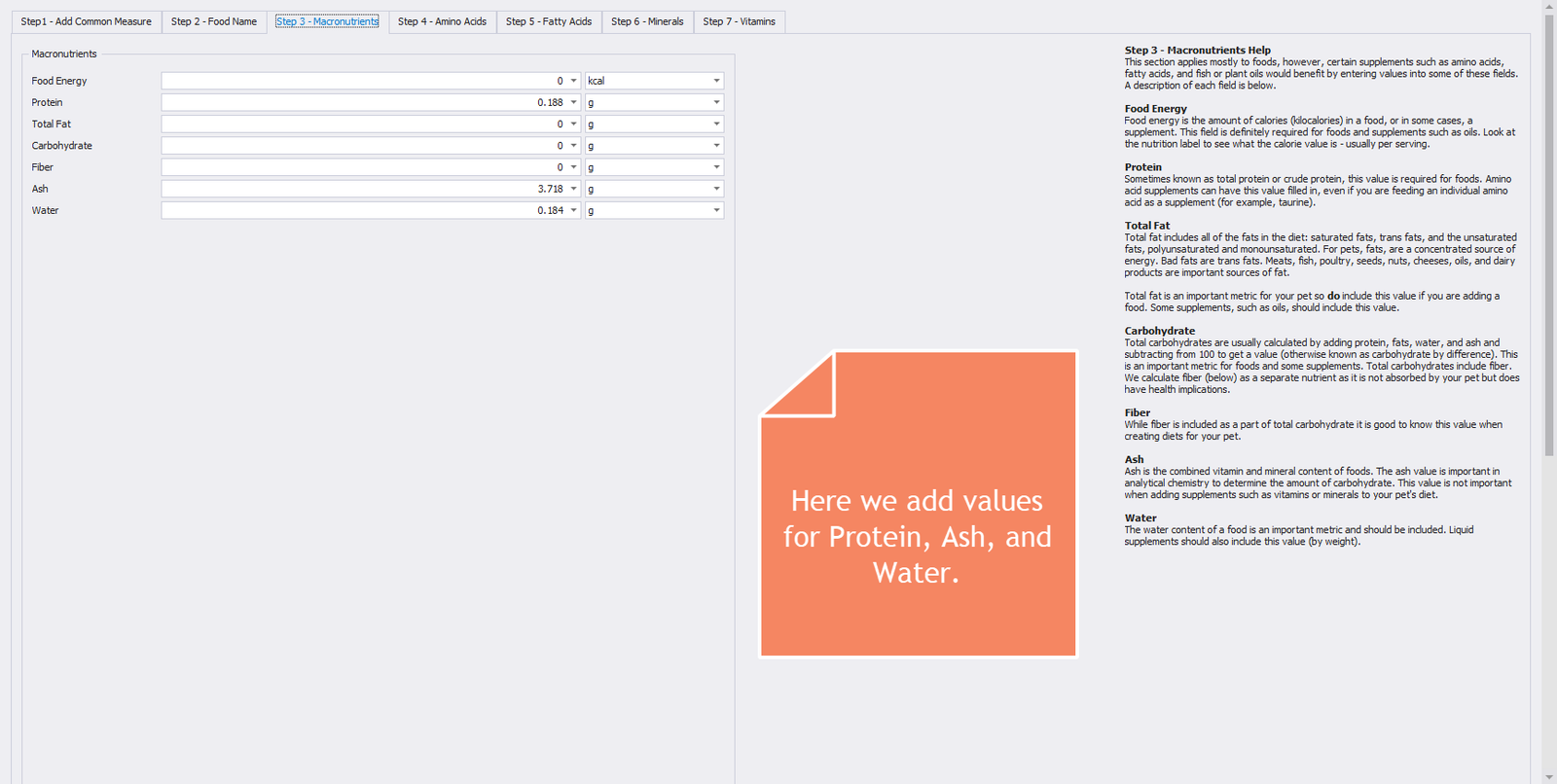
Step 3 – Macronutrients
Step 4 - Amino Acids
The image below shows the fourth tab in the Food Wizard. The only value entered in this section is for Taurine.
Enter the following values:
- Taurine = 0.180 g
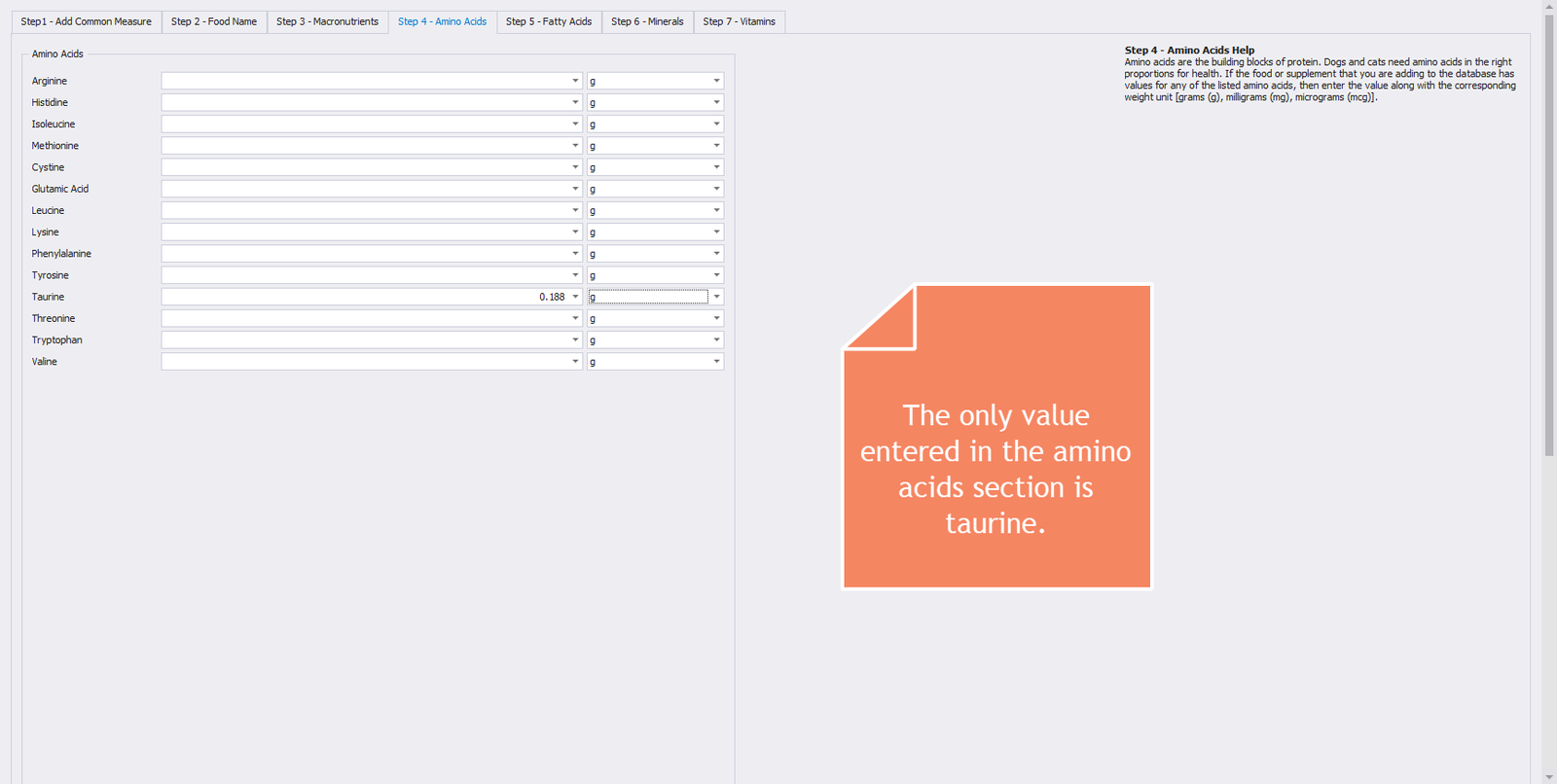
Step 4 – Amino Acids
Step 5 - Fatty Acids
The image below shows the fifth tab in the Food Wizard. There are no fatty acids in this supplement, so leave this section blank.
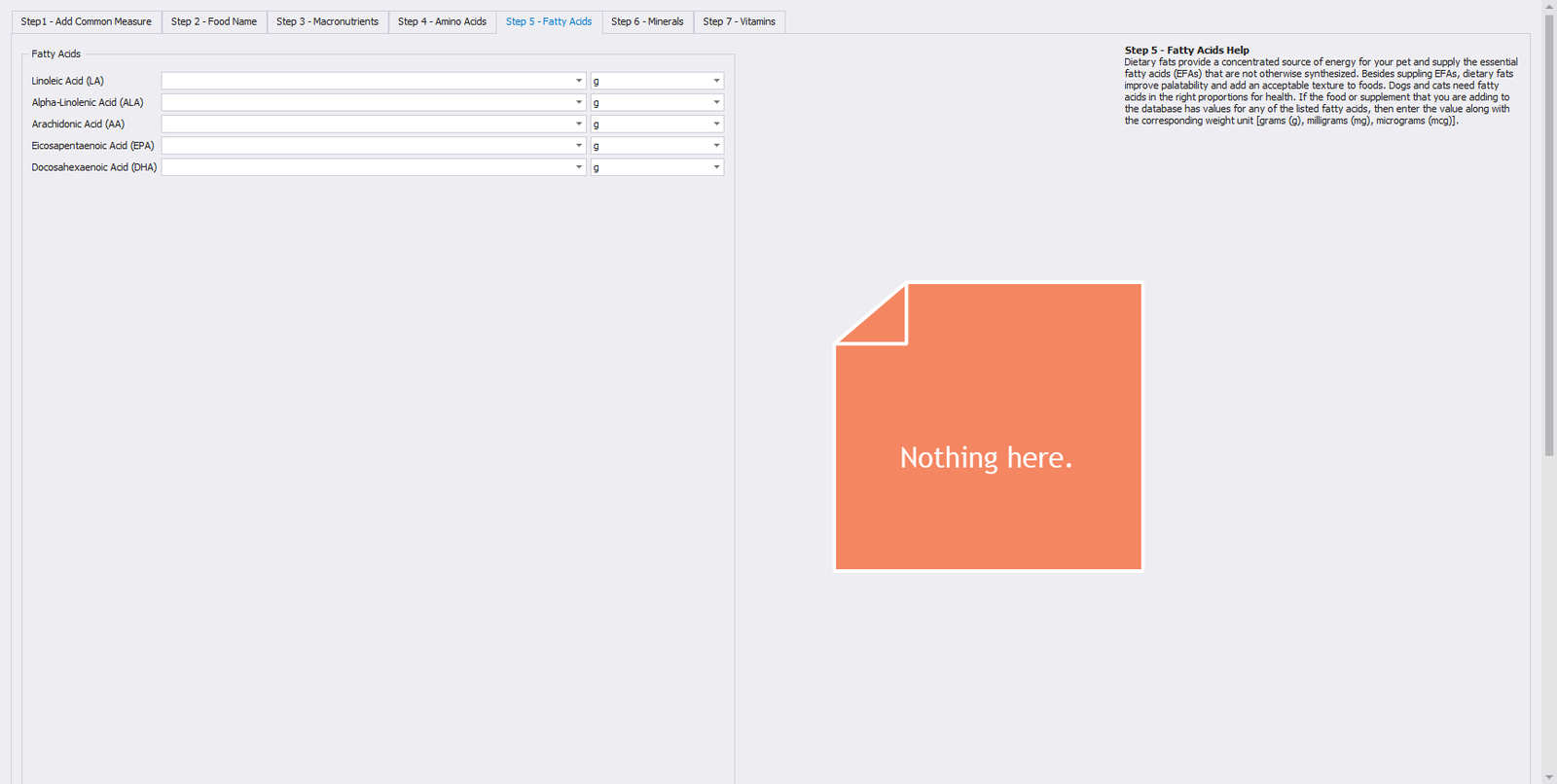
Step 5 – Fatty Acids
Step 6 - Minerals
The image below shows the sixth tab in the Food Wizard. Enter all mineral values exactly as shown in the image below. Pay particular attention to the units. The first 6 minerals are in grams, while the last 6 minerals are in milligrams.
Enter the following values:
- Calcium = 0.494 g
- Phosphorus = 0.164 g
- Magnesium = 0.016 g
- Potassium = 0.327 g
- Sodium = 0.143 g
- Chloride = 0.224 g
- Iron = 6.548 mg
- Copper = 0.371 mg
- Zinc = 6.178 mg
- Manganese = 0.672 mg
- Selenium = 0.016 mg
- Iodine = 0.14 mg
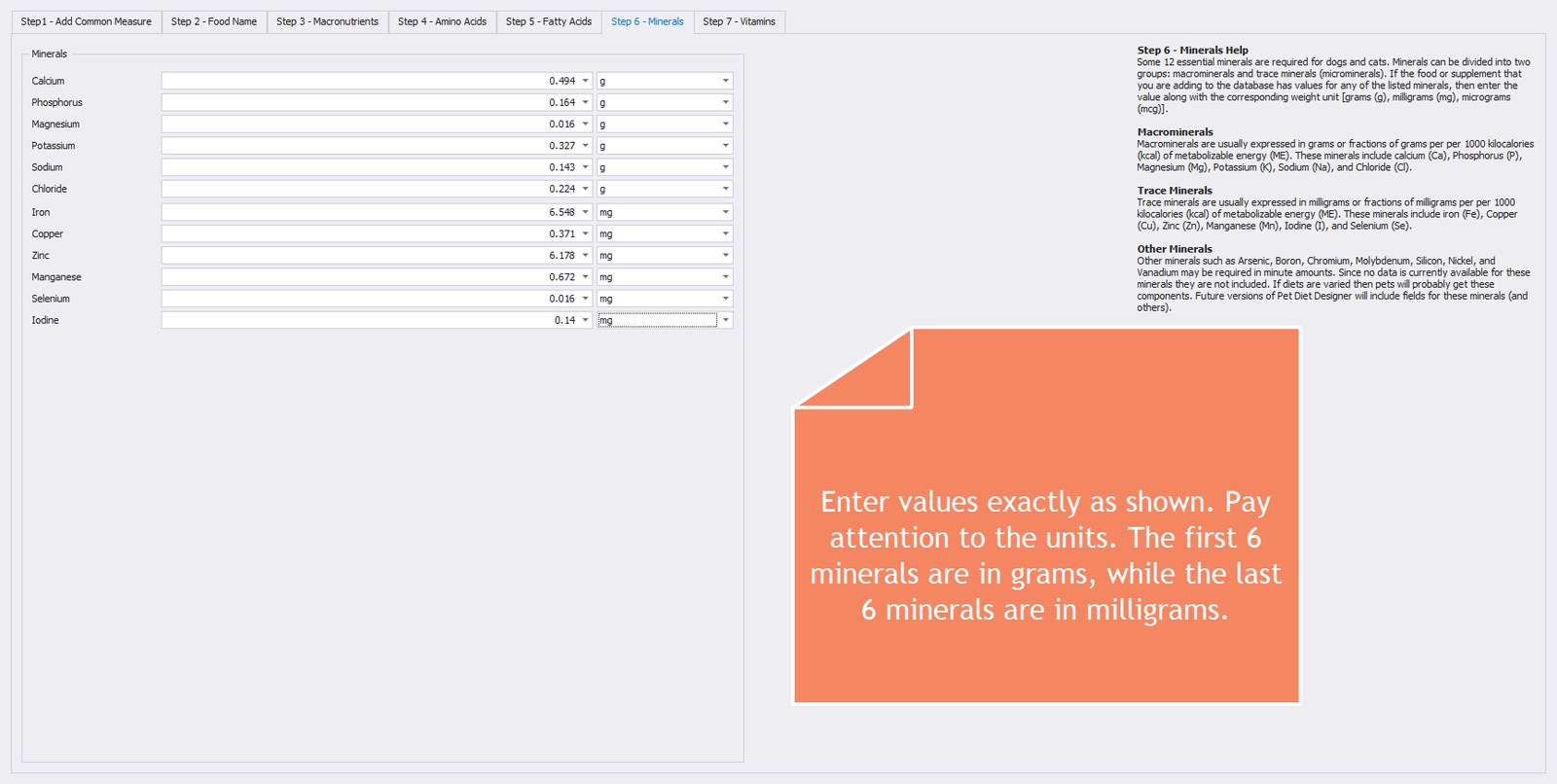
Step 6 – Minerals
Step 7 - Vitamins
The image below shows the seventh and final tab in the Food Wizard. It is straightforward to enter the vitamin values as is. Pay attention to the units.
Enter the following values:
- Vitamin A = 174.081 mcg
- Vitamin D = 50.421 IU
- Vitamin E = 26.939 mg
- Vitamin K = 0.066 mg
- Thiamin (B1) = 0.523 mg
- Riboflavin (B2) = 0.344 mg
- Niacin (B3) = 4.835 mg
- Pantothenic Acid (B5) = 0.707 mg
- Vitamin B6 = 0.141 mg
- Vitamin B12 = 0.002 mg
- Choline = 177.856 mg
- Biotin (B7) = 0.009 mg
- Folic Acid (B9) = 0.122 mg
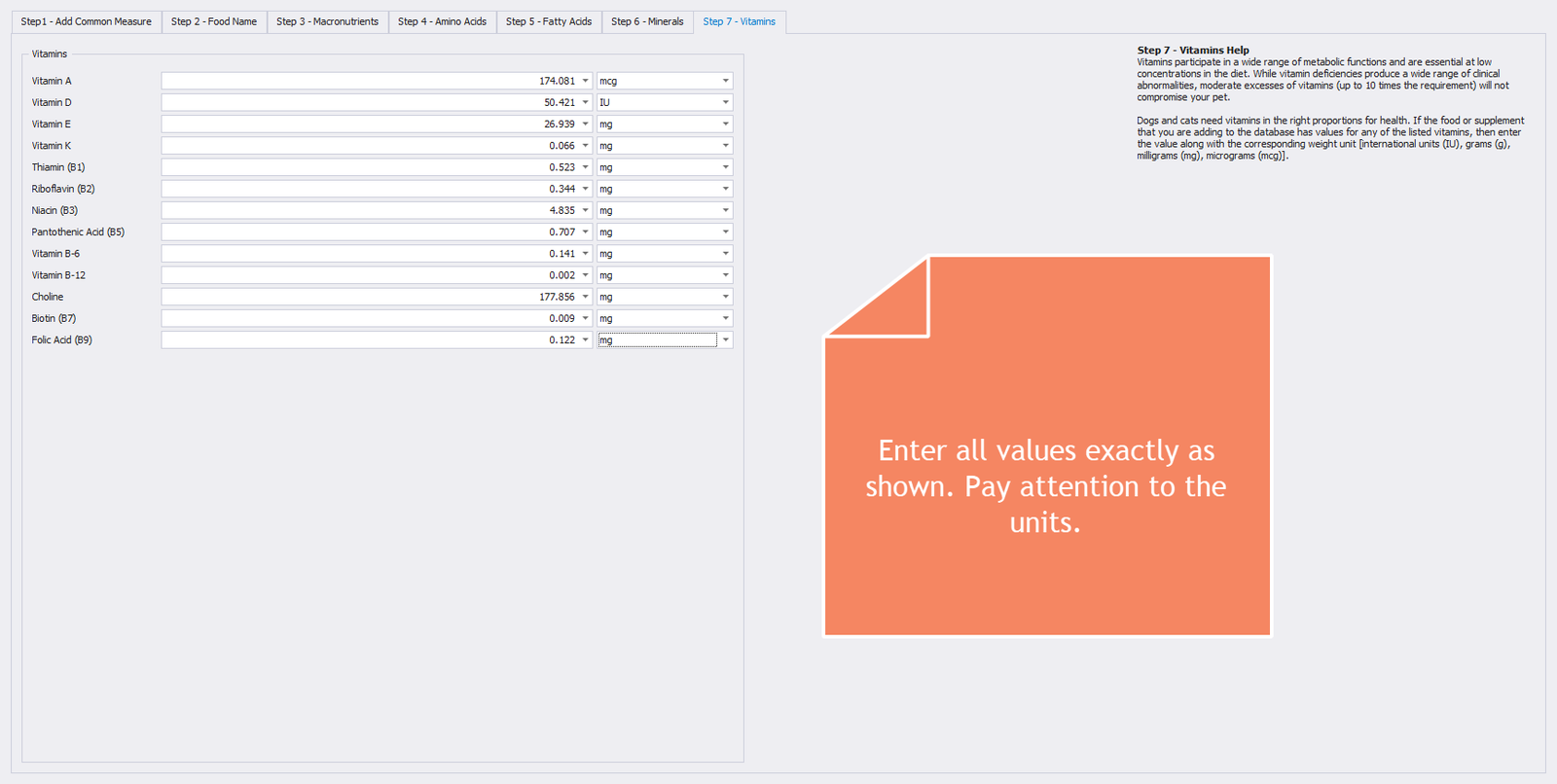
Step 7 – Vitamins
Conclusion
That’s it! We press the SAVE & CLOSE button on the ribbon, and the system converts and stores all values in the database as 100 grams of Balance IT Carnivore Blend. Next, we will add our new food/supplement in the Foods module. Then we will enter “ounces” as a common measure. This will let us work with grams, teaspoons, and ounces of this supplement. Click on the FOODS button on the ribbon to open up the Foods module.
Looking at our newly entered food
With the Foods module open, enter “carnivore” in the search text box and click the FIND button. With the newly entered Balance IT Carnivore Blend record entry highlighted, click on the EDIT button on the ribbon to see a detailed view of our newly entered values.
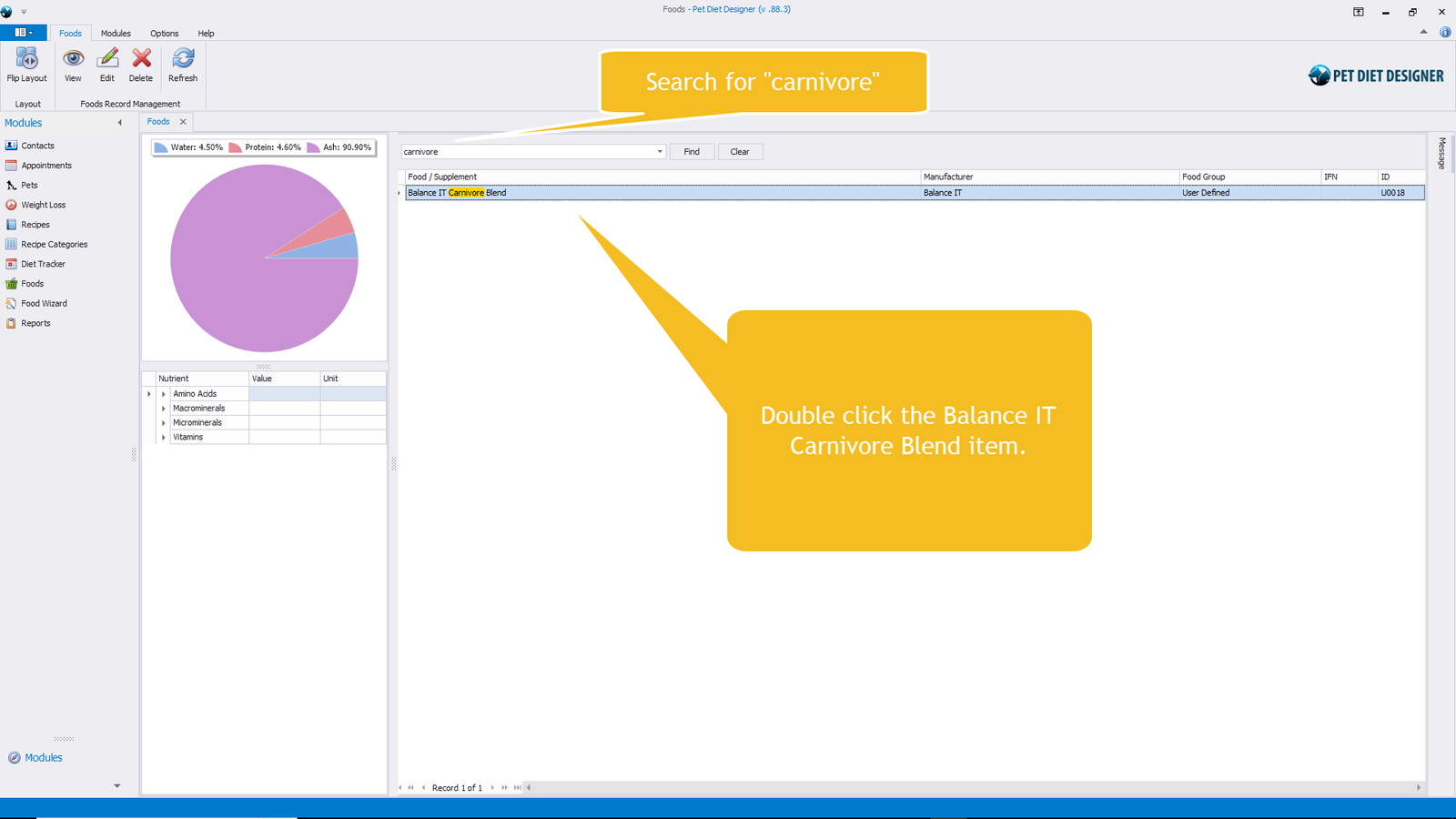
Search for “carnivore” in the Foods module.
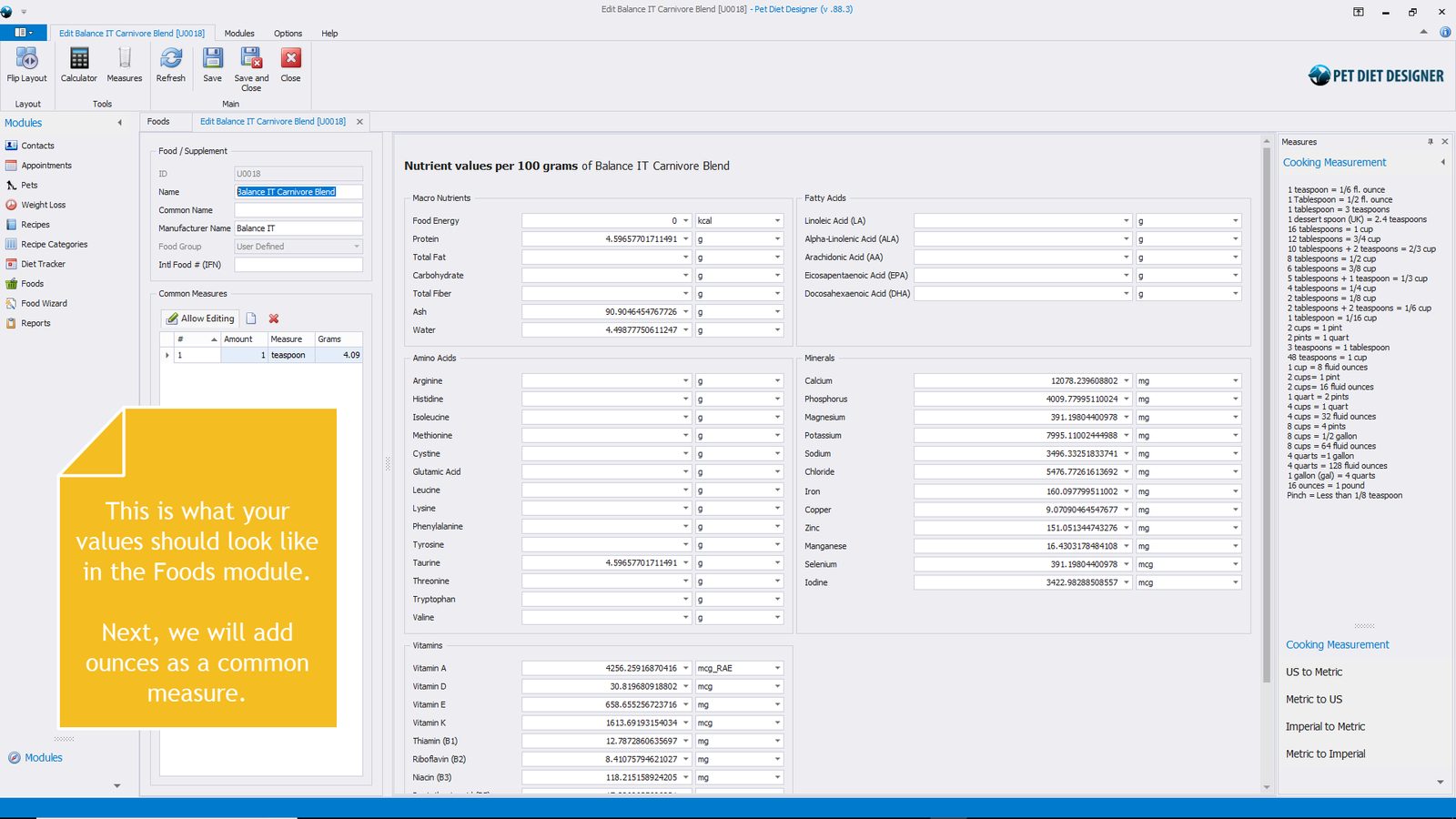
Showing nutrient details for 100 grams of Carnivore Blend.
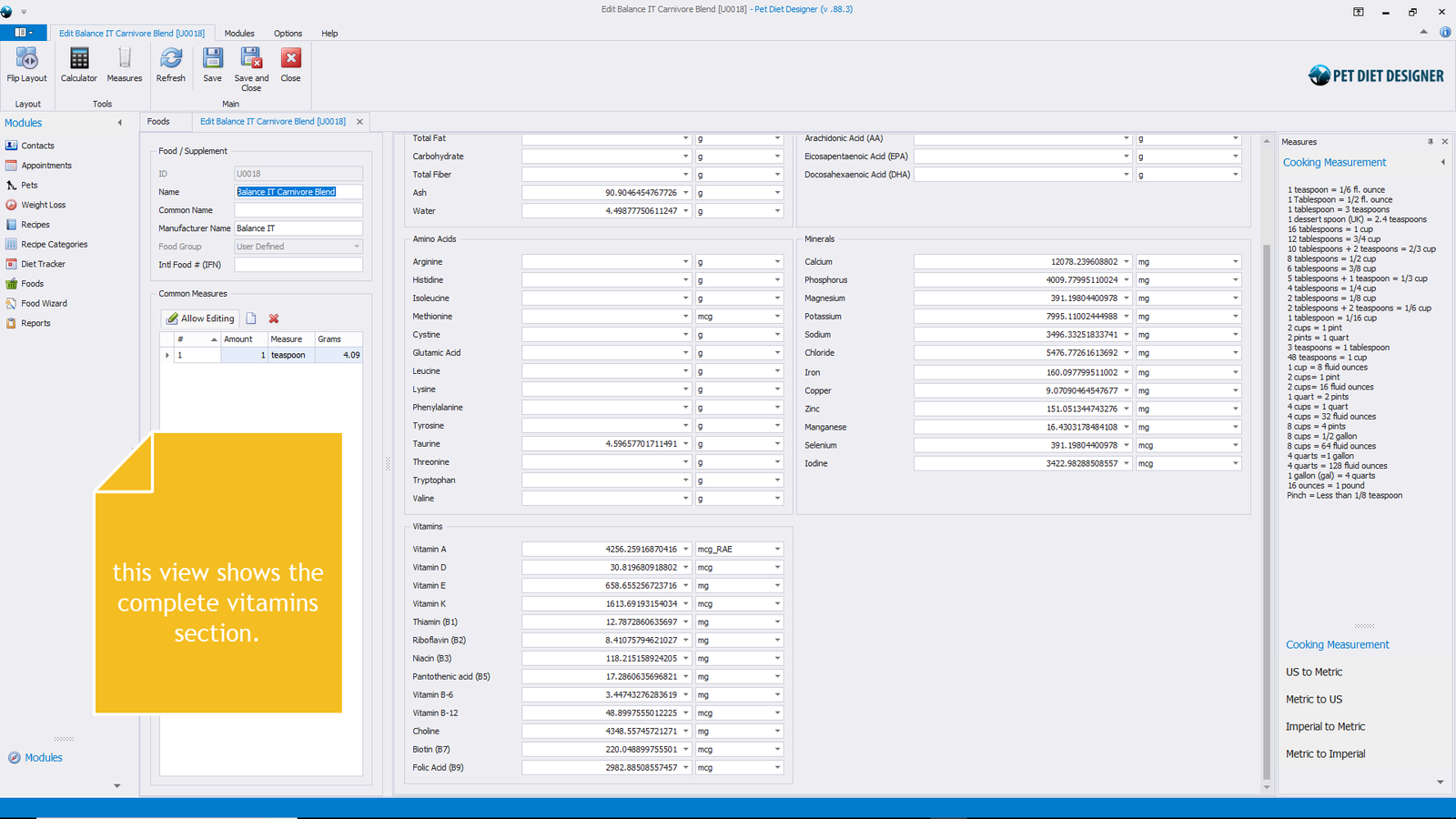
Showing nutrient details for 100 grams of Carnivore Blend. This view shows the Vitamins section clearly.
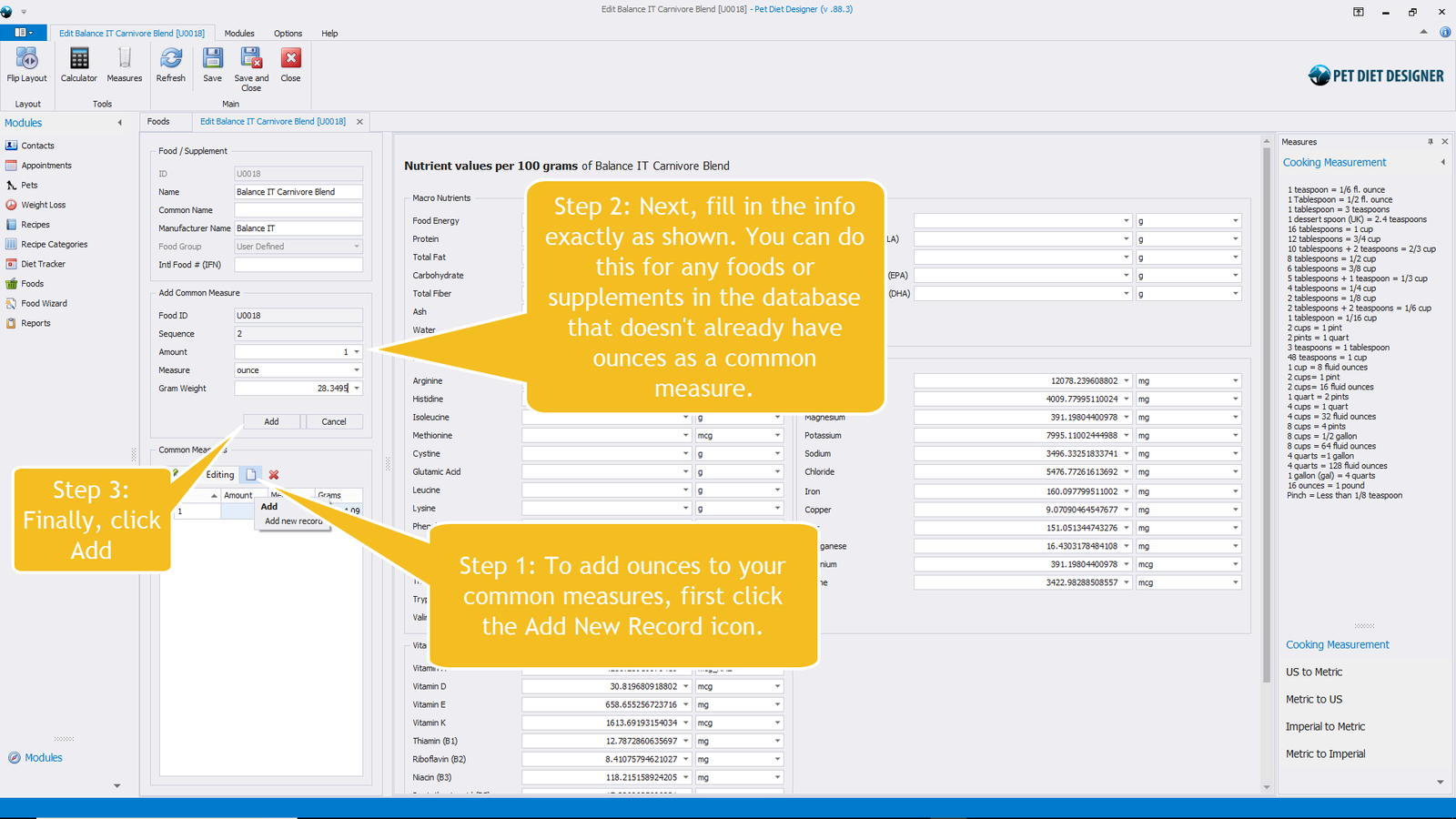
Adding ounces to the common measures for this supplement. (1 ounce = 28.3495 grams)
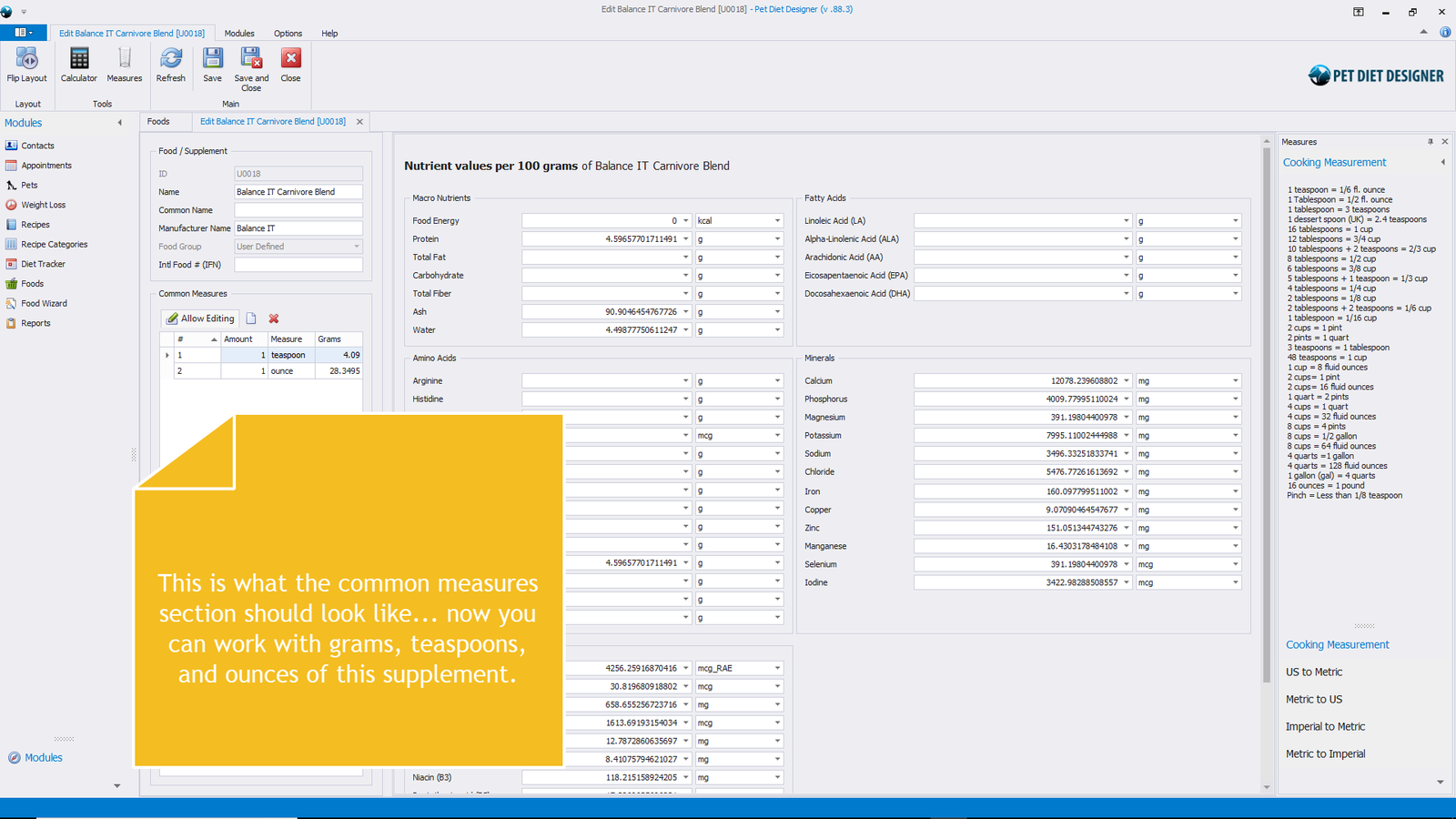
Showing the finished common measures section.
0 out of 5 stars
| 5 Stars | 0% | |
| 4 Stars | 0% | |
| 3 Stars | 0% | |
| 2 Stars | 0% | |
| 1 Stars | 0% |