
PDD Beta help
Welcome to our tutorial and documentation section for PDD Beta. Use the search box below to find answers.
Welcome to our tutorial and documentation section for PDD Beta. Use the search box below to find answers.
| 5 Stars | 0% | |
| 4 Stars | 0% | |
| 3 Stars | 0% | |
| 2 Stars | 0% | |
| 1 Stars | 0% |
Follow the screenshots below to add your pet to the database. You must complete this step before you can start creating balanced recipes for your pet.
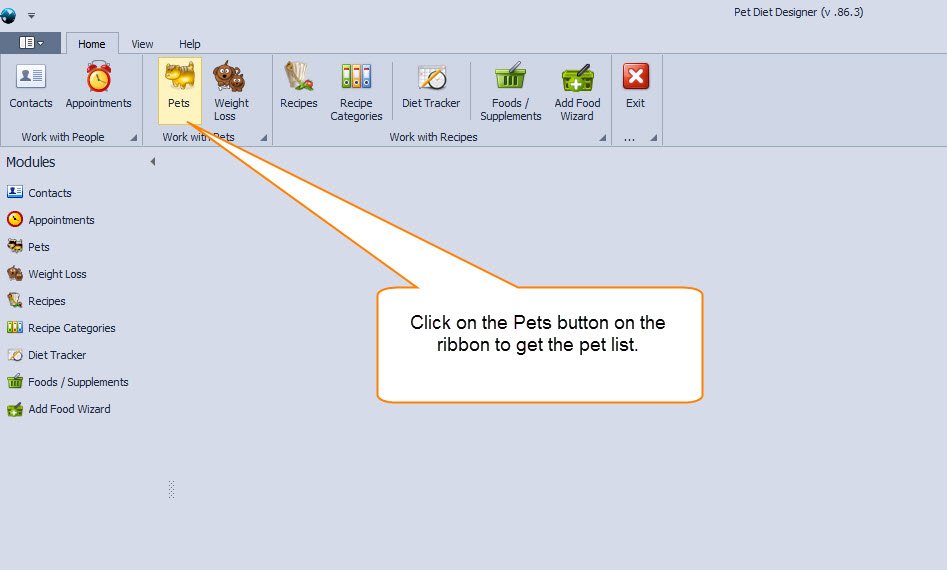
STEP 1: Click the Pets button on the ribbon or the Pets icon in the modules sidebar to open the Pets List (see below).
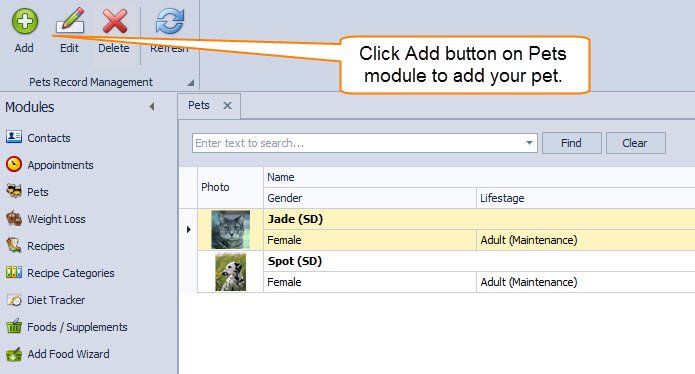
STEP 2: From the Pets List, click on the Add button (as shown below).
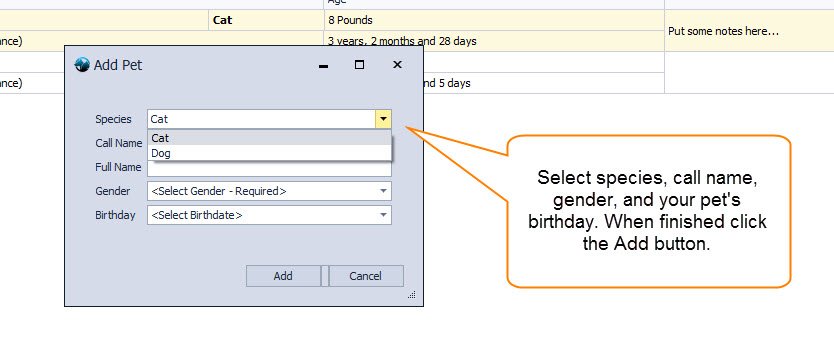
STEP 3: You should see the Add Pet dialog (see below). Fill out the species, call name, gender, and your pet’s birthday.
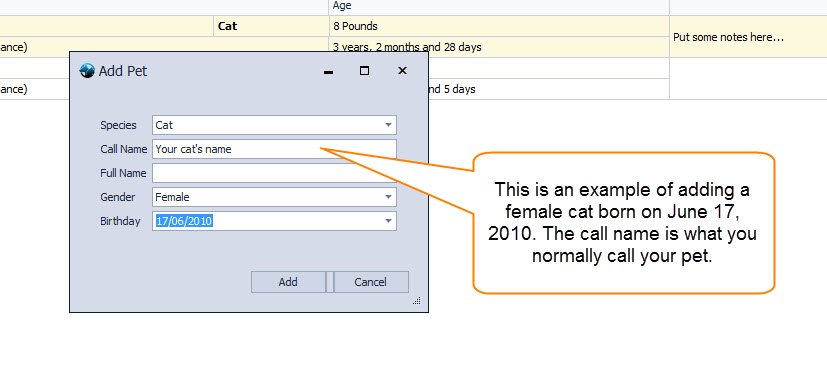
STEP 4: For this example, we are entering a female cat born on June 17, 2010. The call name is what you usually call your pet. After you fill it out, click Add.
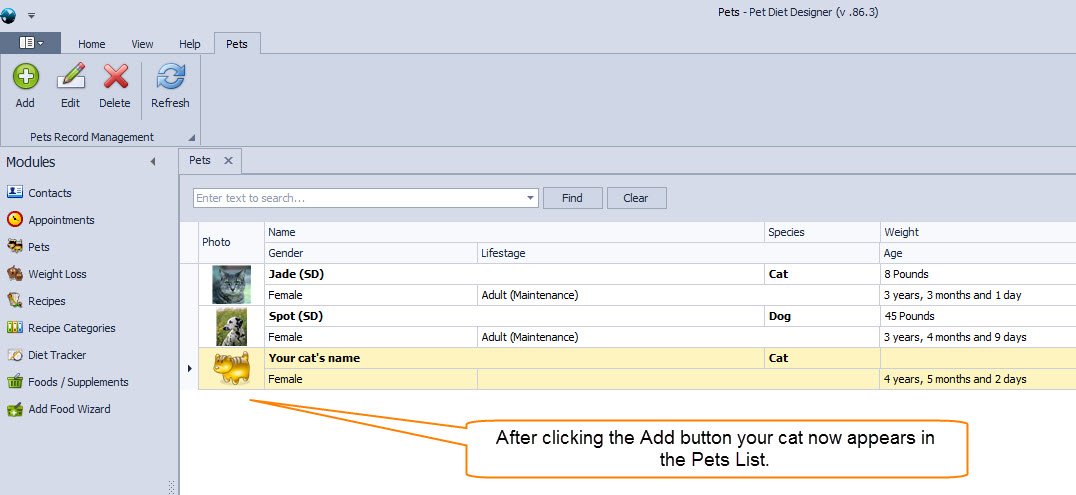
STEP 5: After you click the Add button, your cat appears in the list.
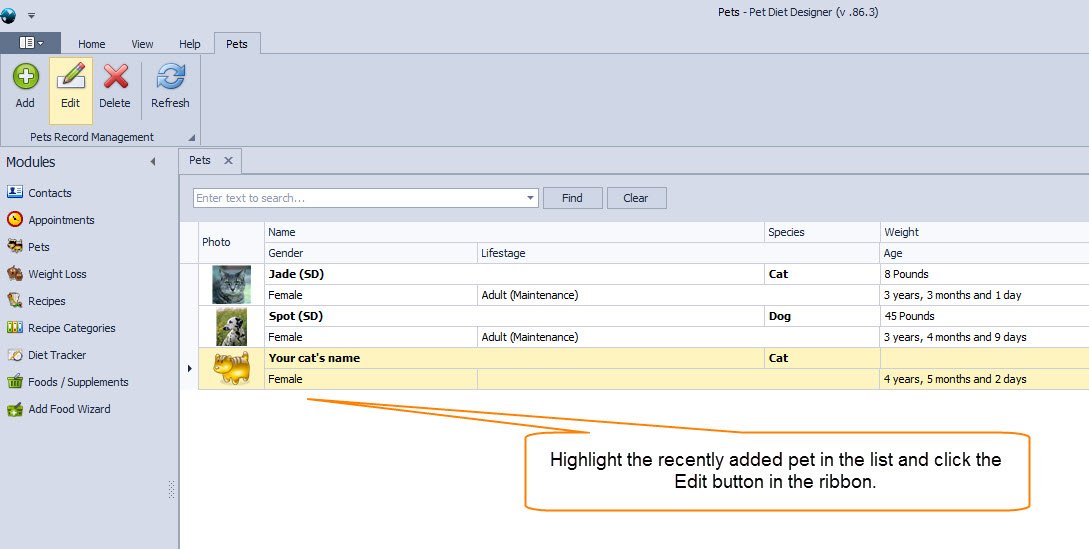
STEP 6: Highlight the newly added pet in the list, then click Edit.
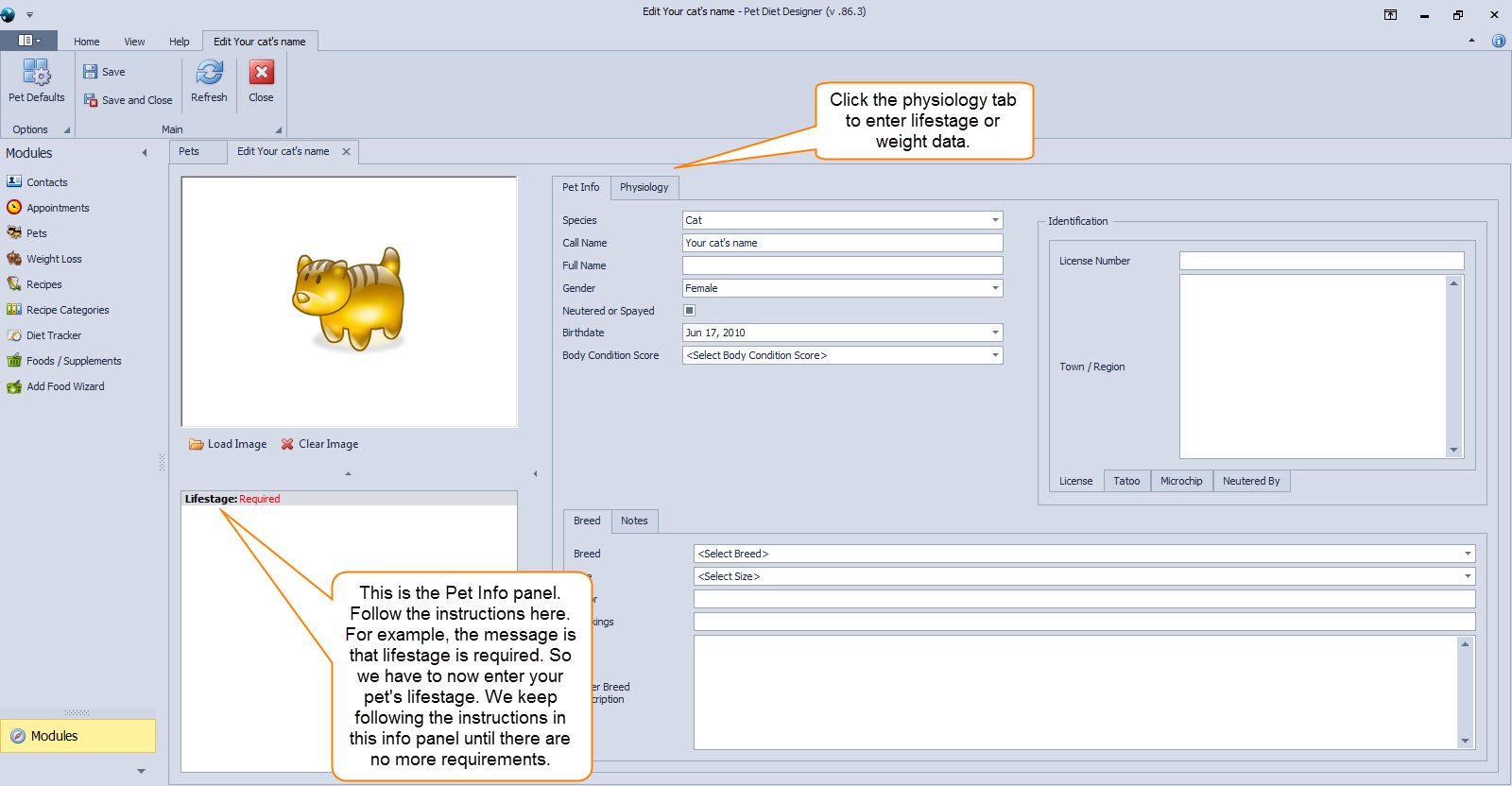
STEP 7: We are now on the Edit screen, where you enter basic information for your pet, including your pet’s physiology (life stage, weight, etc.). Below the image section is the Pet Info Panel. This panel is extremely important, and you can’t create recipes for your newly added pet until you enter all required information. Click the physiology tab to enter life stage and weight data.
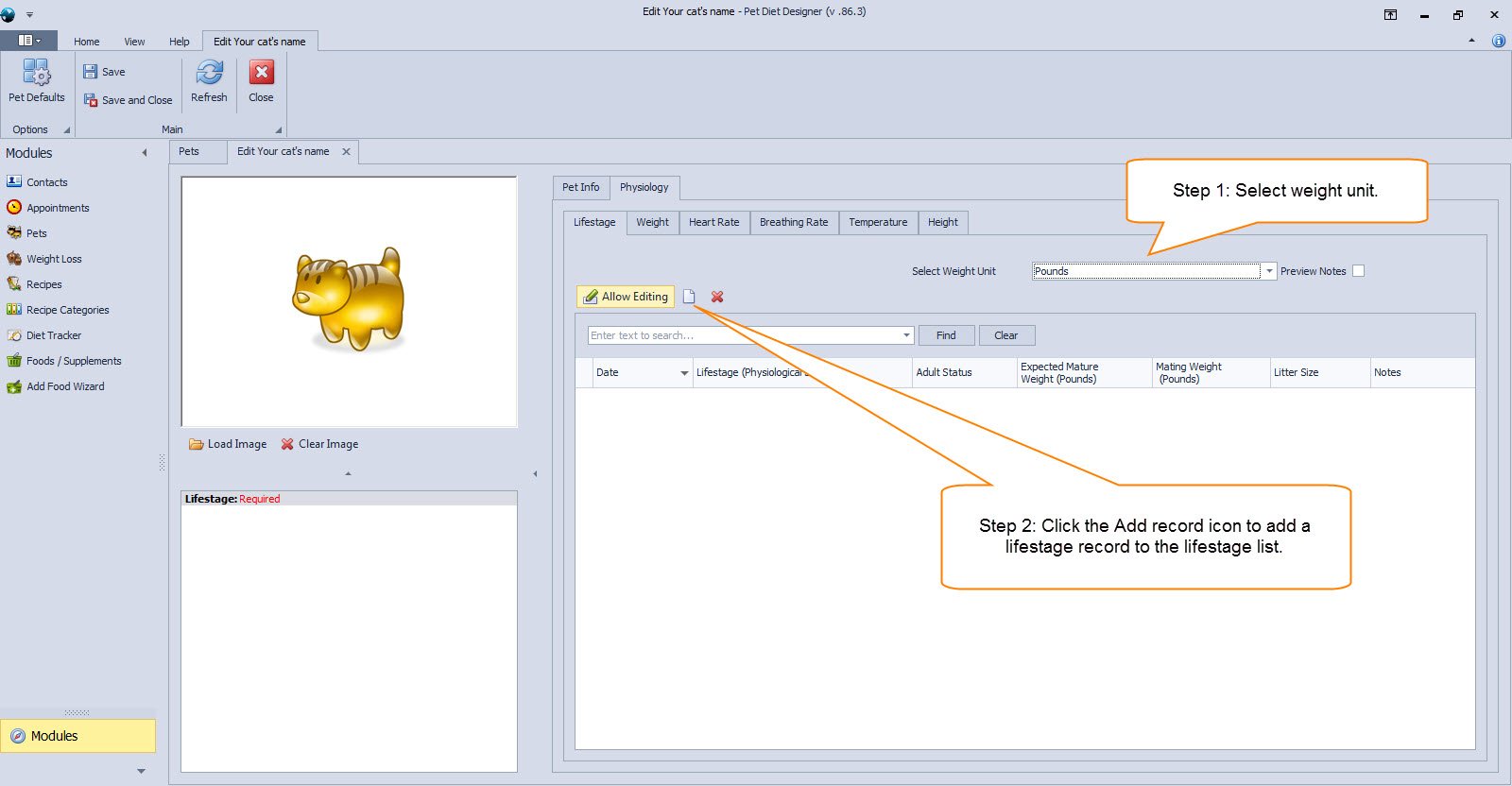
STEP 8: Click the Add record icon to add a life stage record to the life stage list.
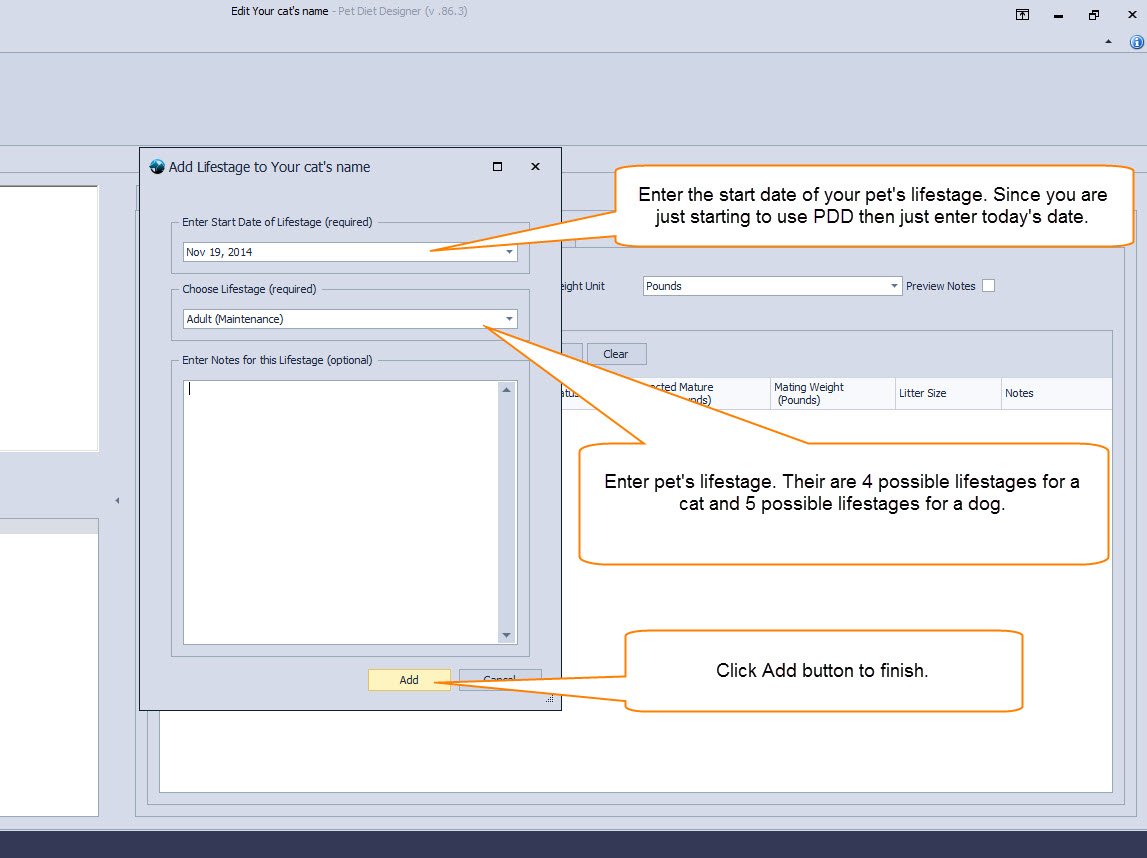
STEP 9: Enter your pet’s life stage and the date your pet started that life stage. Then click the Add button.
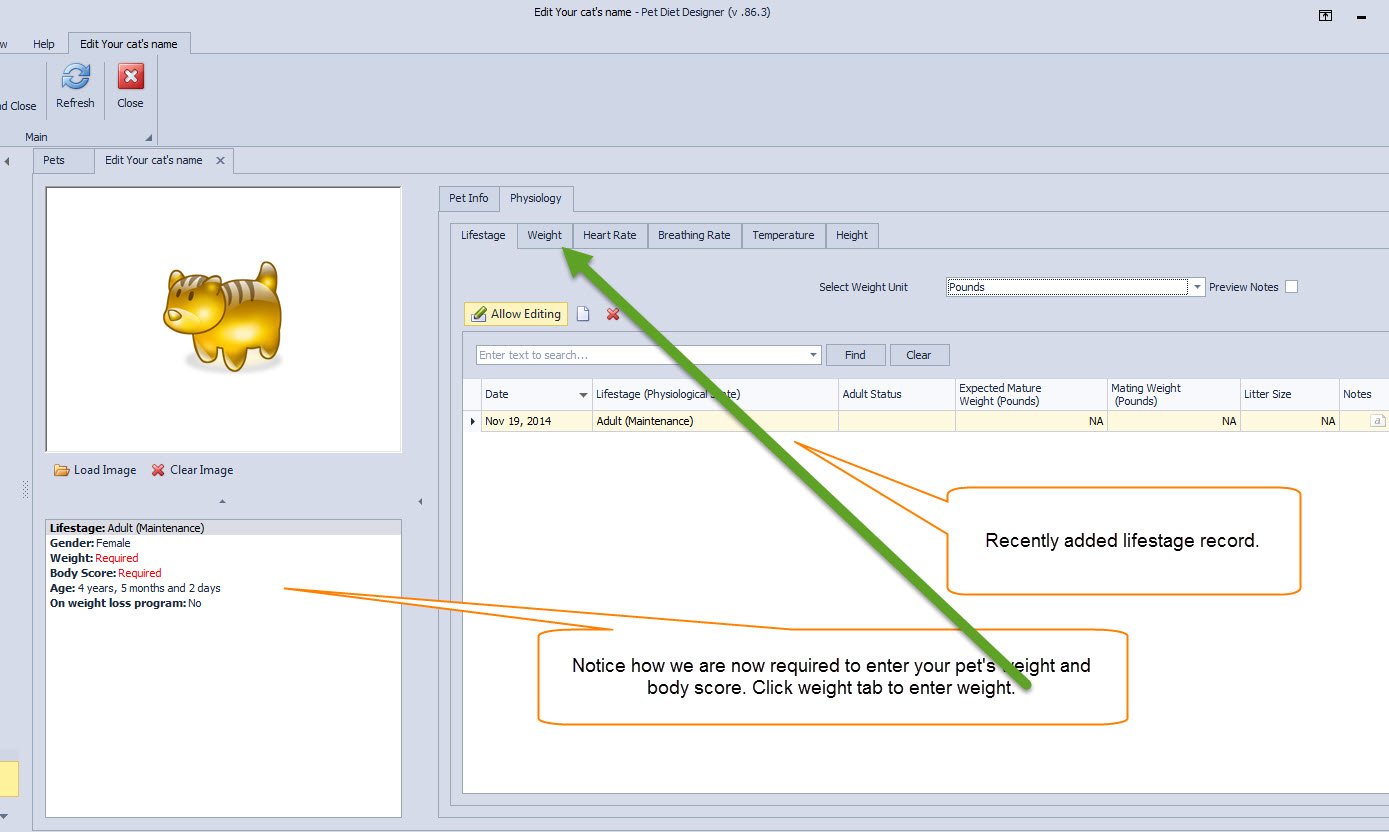
STEP 10: After adding your pet’s life stage, click on the Weight tab to enter your pet’s weight.
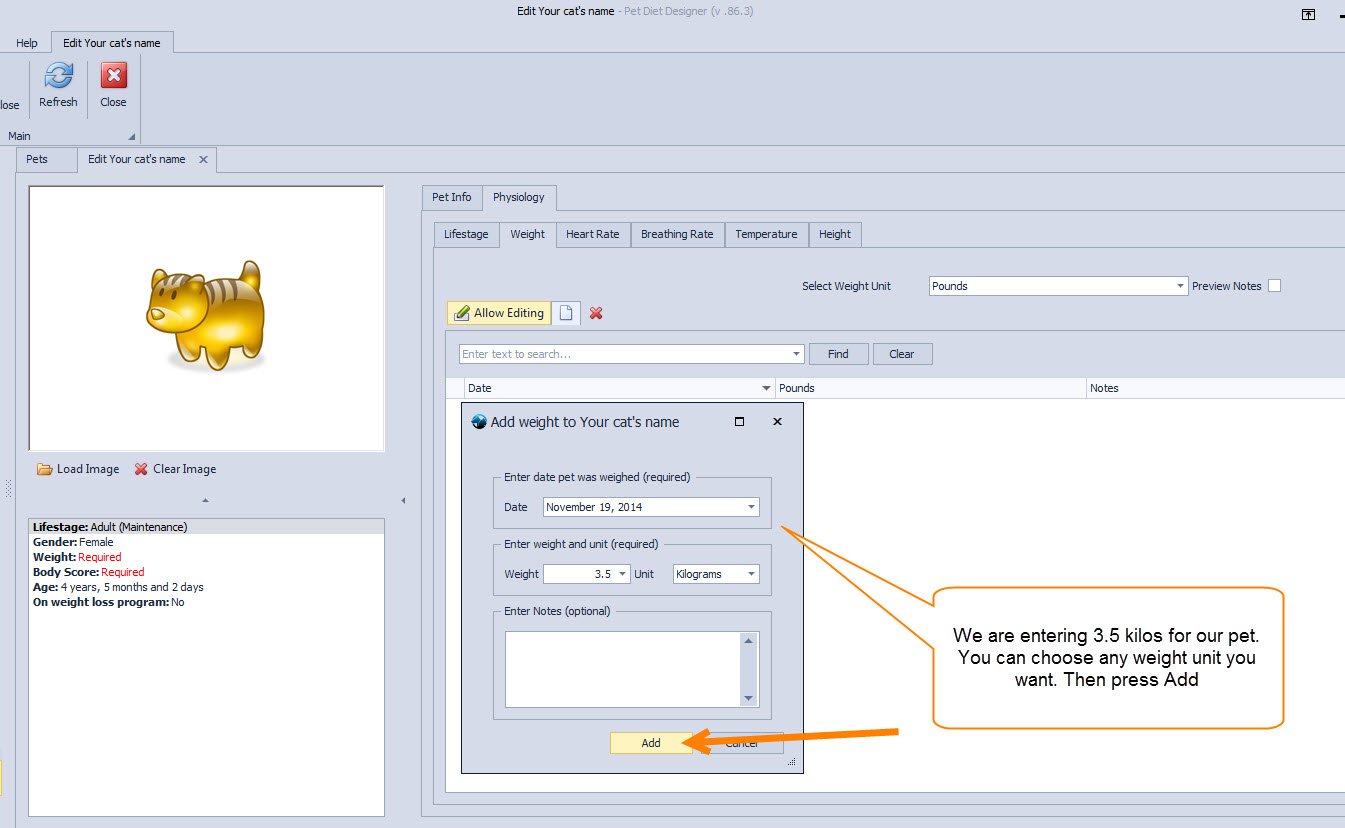
STEP 11: Click on the Add Record Icon to enter your pet’s weight. Here, enter 3.5 kilograms. You can use kilograms, Grams, Pounds, and Ounces.
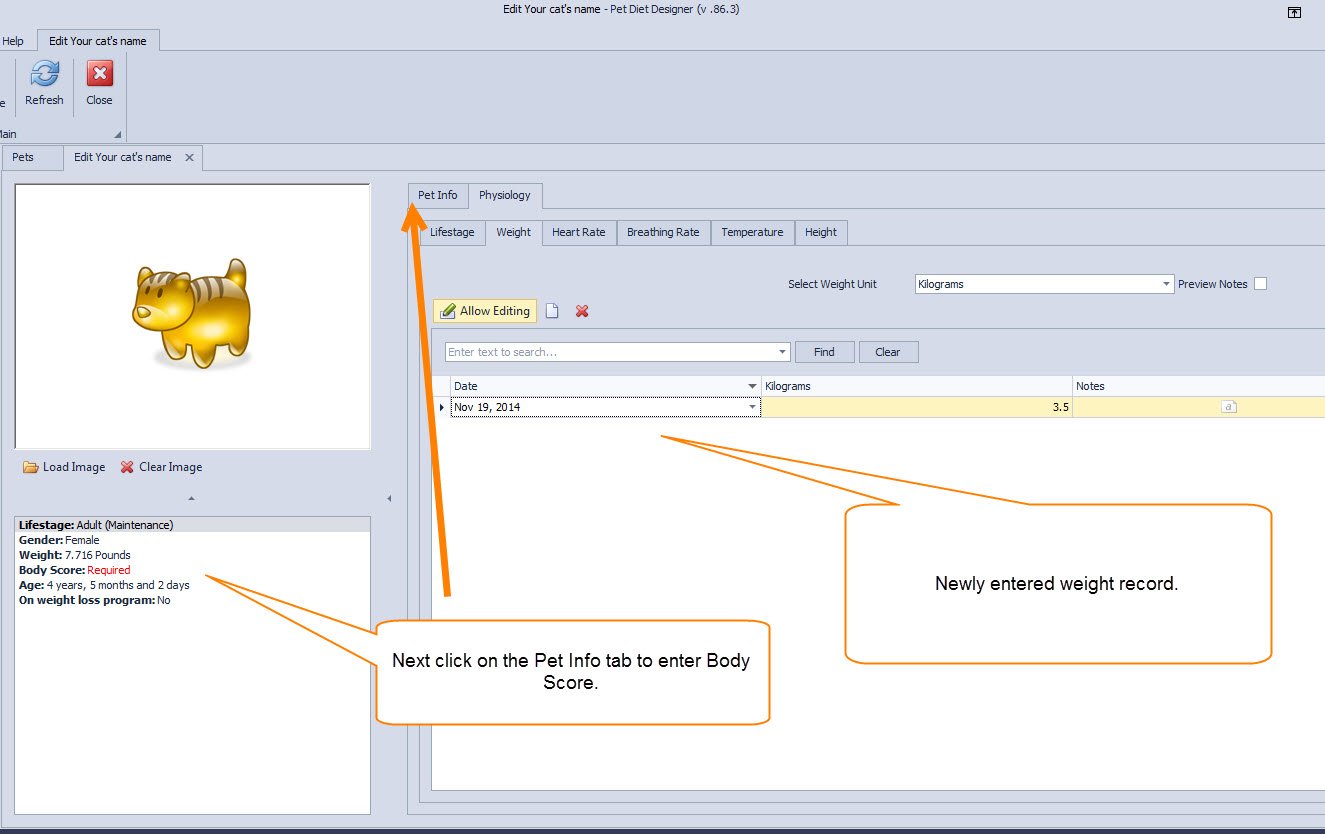
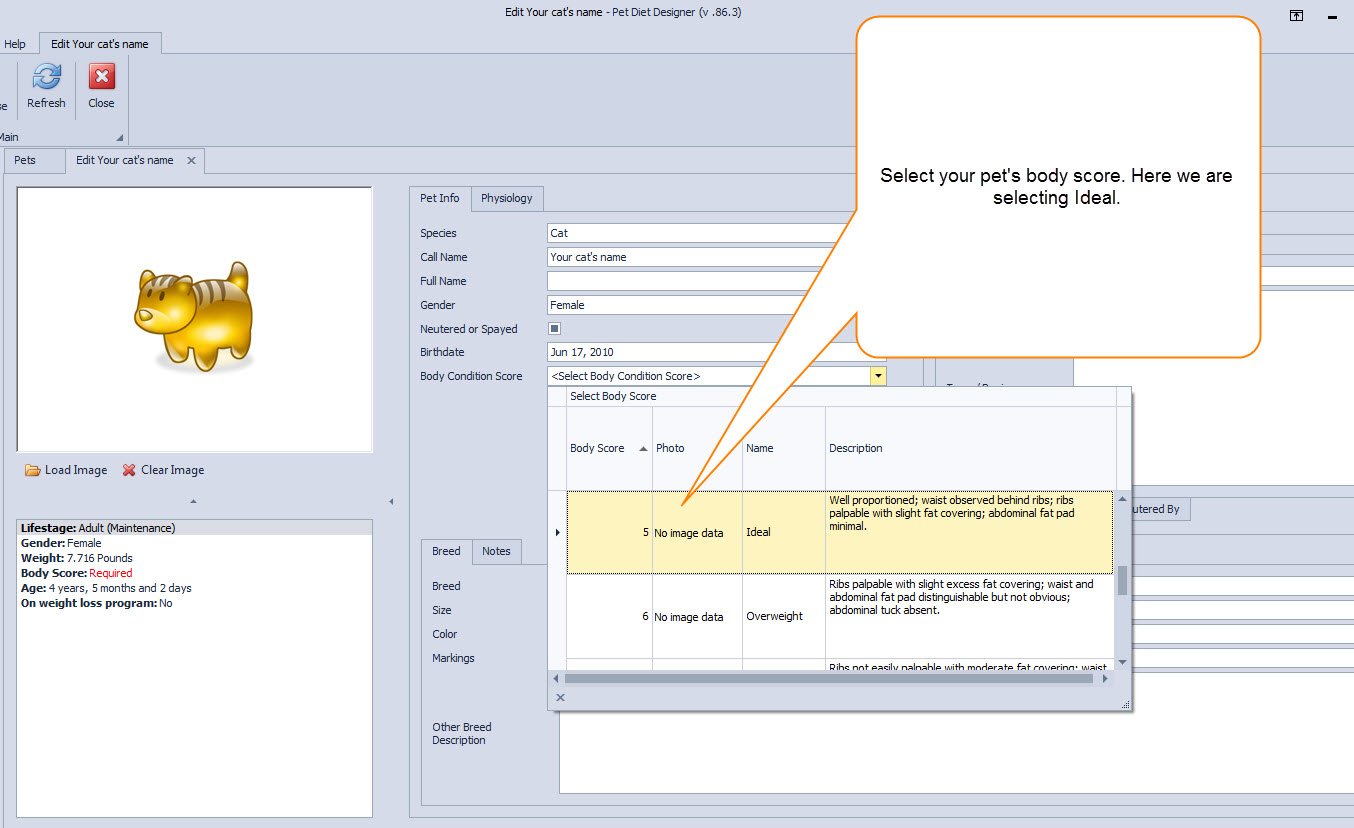
STEP 12: Next, click on the Pet Info tab to enter your cat’s Body Score.
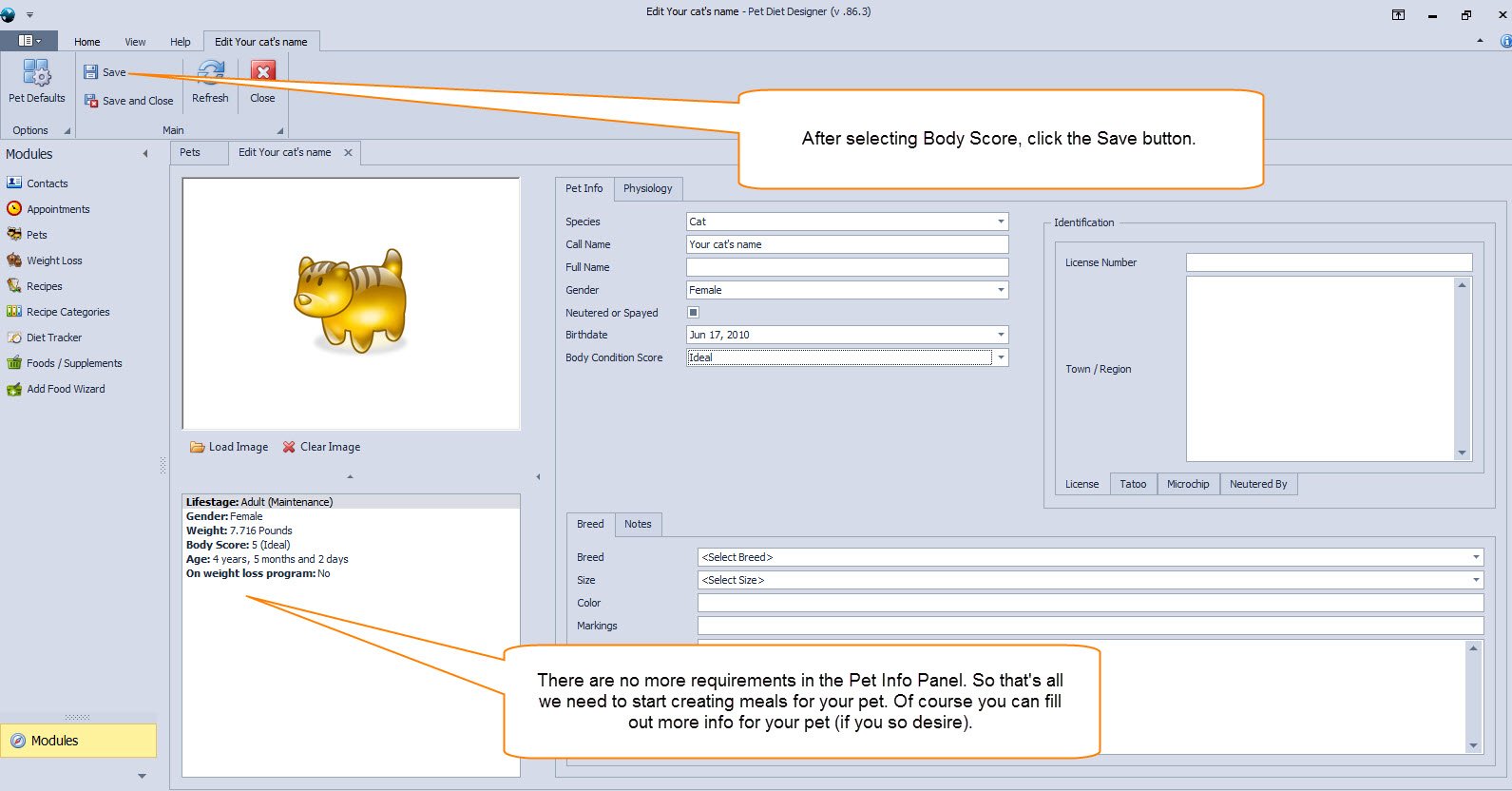
STEP 13: Select your pet’s Body Score and click the Save button on the ribbon.
STEP 14: Click the SAVE button. That’s it. There are no more requirements in the Pet Info Panel. Now we can create meals for our cat.
| 5 Stars | 0% | |
| 4 Stars | 0% | |
| 3 Stars | 0% | |
| 2 Stars | 0% | |
| 1 Stars | 0% |